Battlestations

2059 readers
3 users here now

Welcome to /c/Battlestations

A community for sharing your computer, gaming or work setups as well as discussion about anything related to such setups.

Lemmy World Rules

founded 2 years ago
MODERATORS
1


Here is my current setup. My laptop is an incredible gaming device but I'm kind of hung up on the fact that I don't much enjoy gaming at my desk. I much prefer to game in a lounging position where I can put my feet up. Because of this, I'm considering splitting my priorities for gaming and browsing into separate devices.

I'm thinking that a mini pc might be a good option for my desk setup. I would use it mostly for browsing, some light server needs, and (possibly?) some light modeling/design work using freecad (for 3d printing shenanigans). I've been eyeballing the minisforum um790 pro or something similar.

My gaming needs would likely be outsourced to a handheld pc. I'm pretty set on getting a onexfly and loading it up with bazzite. I know they're expensive, but the form factor and hardware capability really has me sold on this one. I know it would handle everything I wanted to play on it, and more. I've even been wondering if it would be a good daily driver with a dock or something and just omit the mini pc idea altogether.

2


TLDR: Is it crazy to put a big TV on the floor for a couch battle station so that my eyes at couch height are at the top of the TV on the floor?

Context: I got a good price (buddy doing a clearance sale) on a 100" (254cm) hisense tv, so I want to setup a couch battle station.

I've always been near sighted, and I want to use this as a opportunity to move my display farther away from me. So put the 4k TV on the ground on the other side of the room, sit on the couch with a wireless keyboard / mouse and be productive.

When I'm sitting on the couch my eyes are about 120cm (~50in) from the ground, and putting the TV on the ground puts the top of the screen at 131cm (88in).

Anyone else doing a on-the-ground tv setup?

What quality of life add-ons can you suggest?

3


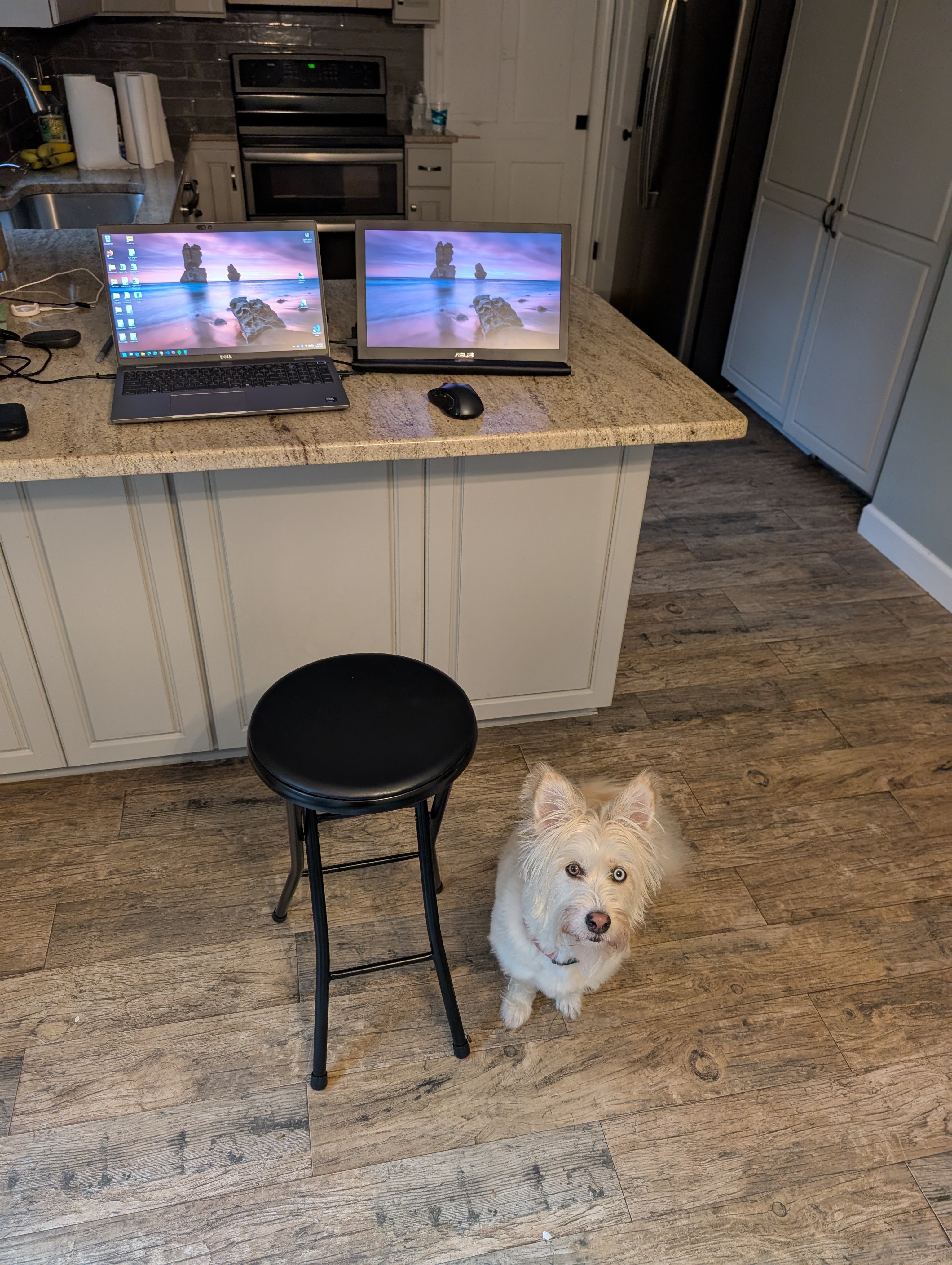
it's a portable monitor and can't be mount on generic stand

4
43
My current setup. (infosec.pub)
submitted 2 months ago* (last edited 2 months ago) by jawa22@lemmy.blahaj.zone to c/battlestations@lemmy.world


To the left is the soldering station.

5
6
35
submitted 5 months ago* (last edited 5 months ago) by NotSteve_@lemmy.ca to c/battlestations@lemmy.world


Nearly all my furniture I got for free off the street on garbage day or from family. The computer parts however

7
8


Hopefully this doesnt double-post, I accidentally uploaded the wrong picture before.

9
 
 
  • CPU: AMD Ryzen 5 7500F 3,7 GHz
  • AIO: DeepCool LS720 WH
  • MAINBOARD: GIGABYTE B650 AORUS ELITE AX ICE
  • GPU: Manli GeForce RTX 4070 Ti Super 16GB Polar Fox Triple
  • RAM: 2 x XPG Lancer Blade AX5U6000C3016G-BLABRWH
  • SSD: 2TB Lexar NM620 M.2 2280 PCIe Gen 3x4 NVMe SSD
  • CASE: Phanteks XT View PH-XT523V1_DWT01
  • FANS: 3 x Phanteks PH-F120M25 12V PWM-Lüfter
  • OWER: MSI MAG A850GL PCIE5
  • MAIN DISPLAY: LG 27GP850-B
  • SECOND DISPLAY: HP E24 G4 (Hochkant)
  • KEYBOARD: Logitech MX Keys Mini
  • GAMING-MOUSE: HyperX Pulsefire Haste 2 Core Wireless Gaming Mouse
  • Behind the main display: 1 MacBook Air M3 (private), 1 MacBook Air M2 (from the company I work for)

10
33
submitted 6 months ago* (last edited 6 months ago) by minternational@feddit.org to c/battlestations@lemmy.world


11


!pcmasterrace@lemmy.world

12


I've got a lot of devices that need to plug into an outlet at my desk. Right now, I have 2 surge protectors completely full.

I wanted to get a smart surge protector to auto turn off/on devices I don't want left on all the time (ex: speakers, monitor, DAC/AMP, printer). But the smart surge protectors have fewer outlets than my current one.

My question is, how do you manage your outlets when you have a lot of devices that need to be plugged in? I don't want to have 3 surge protectors plugged into the wall. I'm already drawing a lot of power in my home office with my mini fridge also plugged in (on the opposite side of the room).

I've also heard of something called UPS. Would that be better than plugging it into a surge protector?

For those curios, the devices I have are:

  • Two monitors
  • Speakers
  • DAC/AMP
  • Router
  • Modem
  • Printer
  • Ethernet Switch
  • PiHole
  • Solar panel monitor
  • NAS
  • Landline phone
  • Backup external hard drive
13
14
15


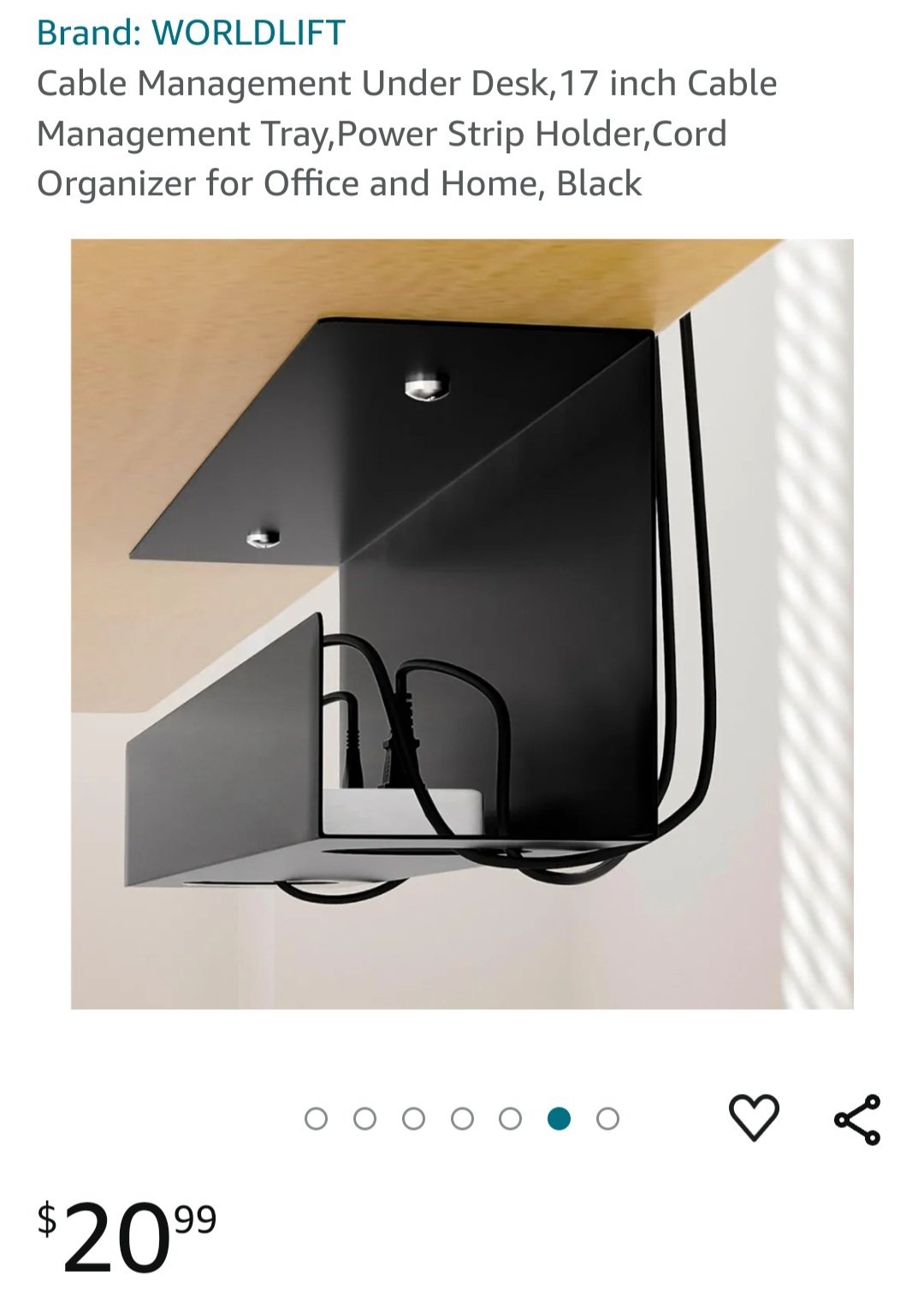
I finally upgraded my desk and I want to have appropriately clean cable management. I would need probably 4 of the option shown here, and that's unnecessarily expensive, so I'm hoping yall have some ideas.

Also, ideally they wouldn't be out in the open, since I've got a nibbly cat.

16
17


[]()

18


PC: 5900x + 32GB memory + 6800XT + Pop!_OS

Monitors:

  • Top left: 1600x1200 from 2006
  • Left, right: 4k 60hz
  • Middle: 4k 144hz

Desk: Made this myself during COVID :)

Bottom of desk: Not shown for your safety

19


I'd like to get a Kvm or hub so I can connect two monitors with displayport, then switch them back and forth between a desktop and a laptop. The desktop only has 1 display port and 2 HDMI ports whereas the laptop only has 2 display ports.

I'd also like to switch my mouse/keyboard between the two machines too. Are there any recommendations that aren't crazy expensive but are still reliable?

20
111
submitted 2 years ago* (last edited 2 years ago) by thejevans@lemmy.ml to c/battlestations@lemmy.world


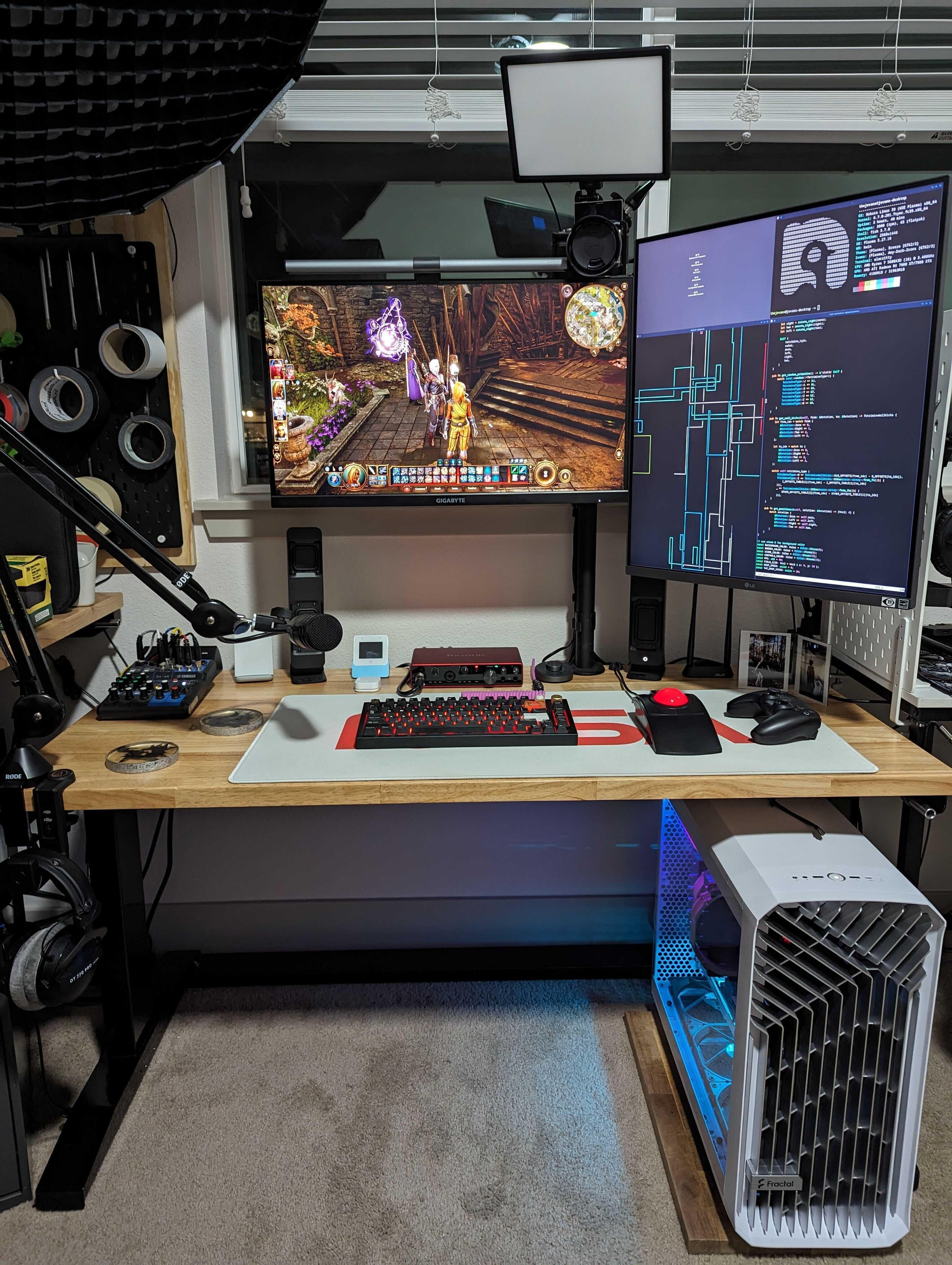
PC

  • Nobara Linux
  • Fractal Torrent
  • Asus Proart B550
  • AMD Ryzen 5800X3D
  • Noctua NH-D15
  • GSkill 2x16GB DDR4-3600
  • Powercolor Hellhound 7900XTX
  • Sabrent Rocket 4.0 1TB
  • Crucial P3 Plus 4TB
  • Asus WiFi 6E card
  • Be Quiet Dark Power 13

Husky height adjustable workbench

  • DT770 Pros
  • AT2040 Mic
  • Yamaha MG06X Mixer
  • Focusrite Scarlett 8i6 3rd gen
  • Drop BMR1 speakers
  • P.I. Engineering L-Trac
  • ESP32-S3-Box3
  • Sony Dualsense
  • BenQ lightbar

Glorious GMMK Pro

  • GMK WoB
  • holy pandas + tealios v2

Monitors

  • Gigabyte M27Q-X
  • LG Dualup

Camera

  • Sony a5100
  • Sigma 16mm f/1.4
  • no-name LED panel
  • Amaran 100d
21


I have a two monitor set up going right now hooked up to a dual display KVM switch. Sadly, a recent power outage has caused some finicky behavior in either my KVM or my secondary monitor, since it comes in and out. Will get around to debugging my setup once I have some time this holiday season, but I was also debating on switching to a single ultrawide monitor setup. I'm a software engineer by trade, and I get the most use out of the second monitor while working. However, when I'm doing literally anything else, the second monitor just tends to be Spotify, discord, or some background video or podcast.

What's your preference? Anyone switch from one to the other? How do you use your setup?

22


Before:

Full view of my makeshift L-desk now:

2nd desk is also a bedside table in my bedroom.

I decided few months ago to downsize as I find myself needing my 2nd desk for other stuff other than for my GPU-passthrough VMs and laptop setup, but I still want the option to do that, so I got myself an LG DualUp, since it's one of the monitors that can do proper 16x9 when split and would require very minimal amount of config when going from full size to picture-by-picture.

23
24


I work from home and I’m going to school so I spend a lot of time at my desk. I can’t work if it’s cluttered and these cables are driving me crazy.

I built a custom desk using IKEA countertop and file cabinets that runs the full length of my wall. One half is for computer and one half is for other projects that need space!

I love it except the cables are wild and have a mind of their own. I’ve been researching methods so I was wondering:

How do you manage cables?

PS! All your stations have been awesome so far. I’m jealous!

25


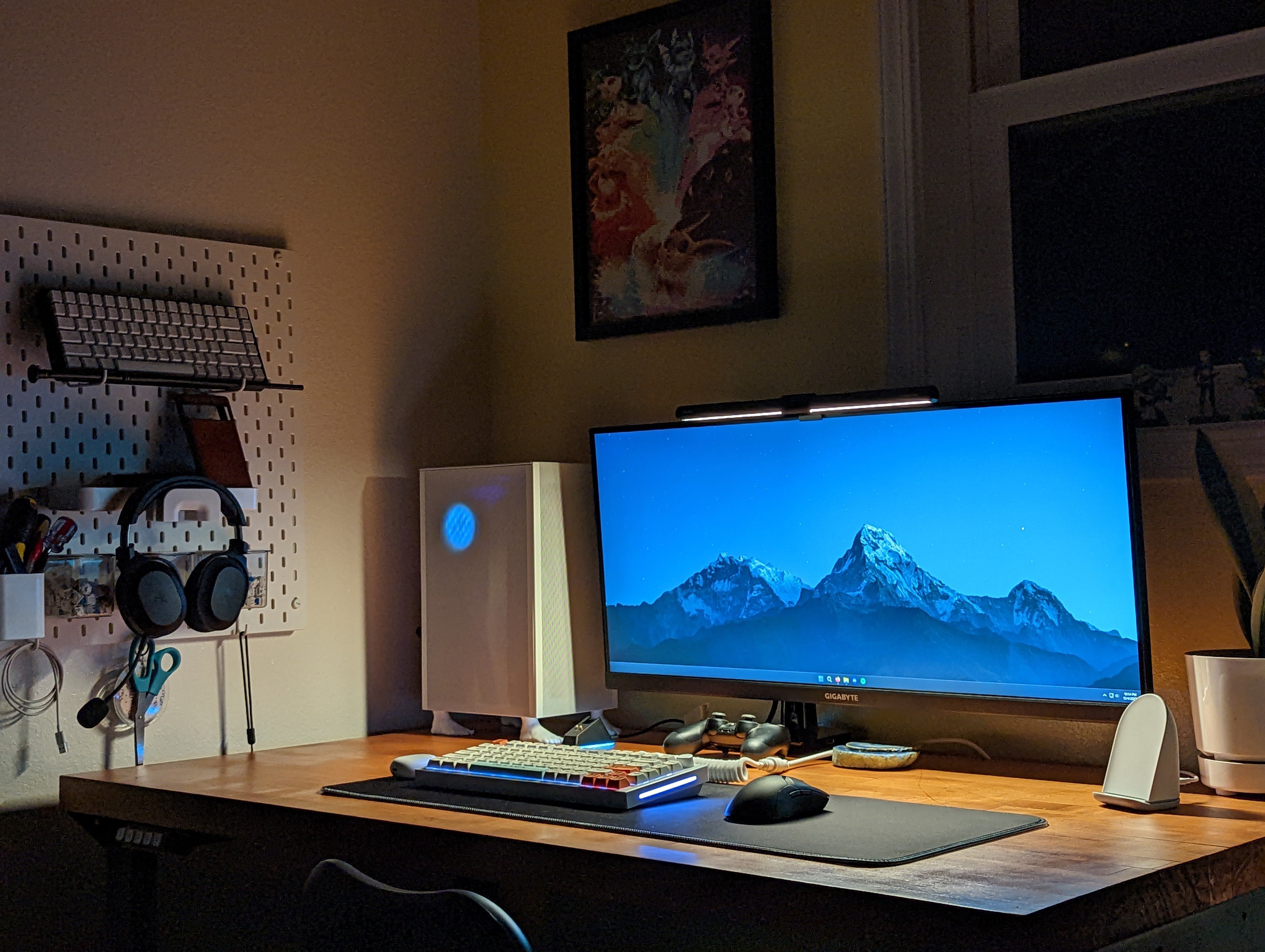
Monitor: Gigabyte M34WQ

Keyboard: GMMK Pro

Mice: G Pro X Superlight / MX Master 2S

PC: FormD T1 / i5 12600K / RTX 3080FE

Most proud of the refinished butcher block desk that I got at a liquidation sale for $50.

view more: next ›