DIY Simulators. Simracing, Flight simulators and more

599 readers
1 users here now

Discussion about diy simulator related projects.

Examples are simrigs, OpenFFBoard, OSW, motion systems, button plates, cockpits...

Show and discuss your simulators and peripherals here

founded 2 years ago
MODERATORS
1


Got a new disk and reinstalled my system (Fedora 43). Followed my own guide how to compile Opentrack with the Neuralnet tracker plugin: https://simpit.dev/systems/opentrack/

Worked fine but needs some build dependency updates meanwhile, like qt6 instead of qt5. Still amazed how good the Neuralnet tracker with ONNX runtime is.

Short demo video: https://makertube.net/w/bC93YNXQ4aE4ha5xwufPJC

2


First spin with 5K UHD 2160p Ultra Wide (45GX950A-B OLED, 45"). Banana for scale.

This is an absolute monster of a display and replaced my triple 24" setup that I used for years. It's a little bit less in wide compared to my old setup but a lot higher . Will need some time to adjust properly but the immersion is mind blowing. Brief demo: https://makertube.net/w/fb6fsA5PtJiFbBTxbMk67X

3


cross-posted from: https://lemmy.zip/post/51305553

I've been wanting an F1-style steering wheel for sim racing for ages, but I didn't want to spend massive amounts of cash on a commercially-built steering wheel that could be great but had loads of features I didn't care about (especially LEDs and a screen) since I play in VR.

A colleague of mine, who is also into sim racing, built a steering wheel that was better than almost anything you can find from Fanatec/Moza/Thrustmaster/whatevs for around 500€.

So, of course, I decided to ~~buy the same thing~~ build it myself from scratch for the challenge and to save some money. Because I'm an idiot, I guess. I thought it would take me 2-3 weekends. It took 4 months. It's basically a wheel-shaped mechanical keyboard. It was the biggest non-essential project of my life. I learned a lot, including not getting myself delusional enough to start that kind of project on a whim.

Steering wheel's back

Features:

  • F1-shaped steering wheel, heavily inspired by Ferrari's one with the general shape and front. Back is closer to Mercedes'.
  • Magnetic shift paddles
  • Analog clutch (WIP)
  • 7 rotary encoders
  • 10 face buttons + 2 back buttons + 5 clickable encoders
  • Quick-release connection to the steering column
  • Aviator-style USB connector
  • QMK firmware
  • Everything is 3D-printed except for the aluminium mid-plate and the quick-release

If you guys are interested I have a few WIP pictures, so I could start a build log. WDYT?

Installed Front Installed Back

4


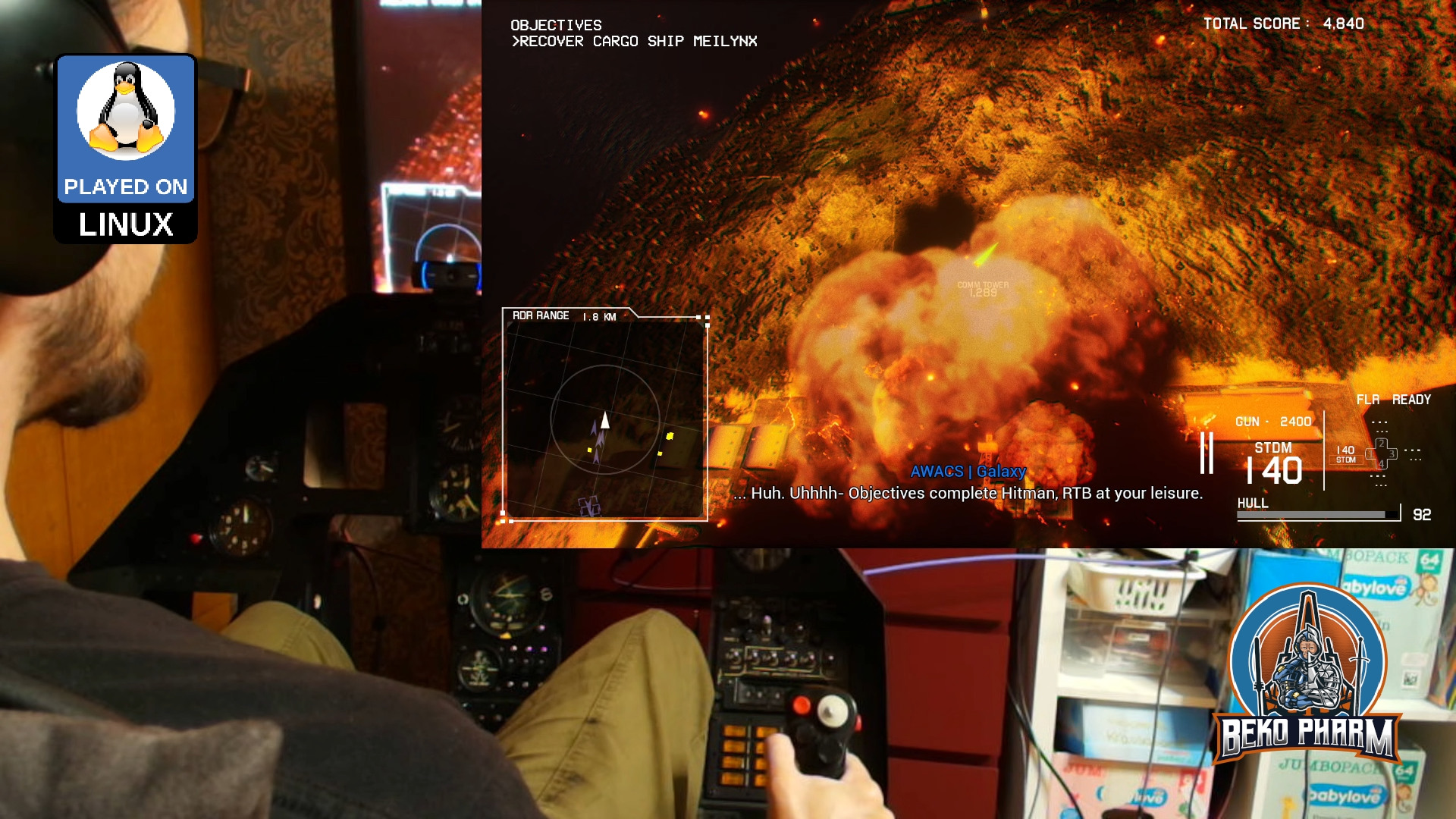
This is Project Wingman mission 01 Black Flag played on a Linux PC with Proton Experimental, OpenTrack with the Neuralnet Tracker plugin and my DIY HOTAS / rudder system based on Arduino Pro Micros replacing the original electronics in my Thrustmaster FLCS/Cougar gear:

Pick your poison: https://makertube.net/w/8MyoVSzDfwMuQR6bCqtbie / https://www.youtube.com/watch?v=dq0sihlgW_Y

I got Project Wingman on a sale months ago and I finally gave it a try. As an Ace Combat player I felt right at home. My initial experiment was with the XR glasses and woah that feels good in 3D and all but today I remembered that old Plasma TV in the basement. Got it second hand a year ago for dead cheap. Today I brought it upstairs to try it with the ViperPit and now I’m not sure what’s more awesome.

Well, that is if I feel like burning ~470W on top for that thing but hey this is for very specific gaming sessions only anyway 🤷

Guess I’ll spend more time in the ViperPit again 😀

5
6
7


Finally replaced the old display with the new touch display for my VF-1 inspired home cockpit panel: 🎥 https://makertube.net/w/5uLBzaawSVwqVCjcGfjSfC

The display is the N173HCE-E31, a 17.3 inch with 1920x1080. The touch registers as a USB HID Mouse by ILITEK and is basically sitting on top. I never noticed before but while cramming it in I noticed that it's a little bit lopsided 😩 Ah well, it's hardly noticeable.

Sadly I made no progress for the rewiring and pushed that back. I really have to clean this eventually but that'll result in a long downtime for the cockpit.

I did however make progress with the HUD app. Initially I had no touchscreen support in mind so I had to rewrite a lot of code. This forced me to take a closer look at the UI elements and I found so many bugs and optimized so much. Still in the middle of tweaking which is why there is a lot of debug visible in the video. I'm very happy with the result though and I think I'm really getting that Valkyrie VF-1 vibe going 🤘

Read more on the dedicated project website https://simpit.dev/

8
9


Quick demo time: I got a touch display 17.3" that will replace my rather old one in my VF-1 inspired cockpit panel.

Pick your poison: https://www.youtube.com/watch?v=KX4LsyqYPCA / https://makertube.net/w/nCopvNbkvkwR9XcG5QPQ3i

Mostly because of the bad viewing angle. I'm not a huge fan of touch but sometimes it is really useful and if I already spend money why not go the extra mile :nerd:

10


This uses my X4-SimPit extension for X4: Foundations, that sends ship telemetry via a socket to my node-red plumbing pipeline, which in turn forwards data to Websockets, SocketIO and MQTT. Various subscriber listen on the new messages to run blinken lights and my HUD app. I’m using the well known message format also used by Elite Dangerous so it’s compatible with that game as well.

Pick your poison: https://makertube.net/w/nUoG2ZPeAW1QhT3A2BXRrM / https://www.youtube.com/watch?v=wp1PkVhH9cc

Oh yeah… and on Linux PC 🤓

Let me know what you think!

X4-SimPit code (pending changes) is here: https://github.com/bekopharm/x4-simpit The cockpit panel has a dedicated project page here: https://simpit.dev/

11
12


Should I just buy the cheapest PS3 Eye camera from ebay and see whether I get the flat lens or round lens, and proceed accordingly?

Its a real hassle to determine if its a flat or round lens from the photos people upload on ebay, as they're not very good quality.

Edit: I found a really cheap one on ebay which was at auction and got the highest bid (it was a little over 4 euro with another 4 shipping, so honestly not bad at all). When it arrives I'll try out the steps in the video and report back here I guess. Hopefully it can help people when buying these cameras to not struggle looking for the rounded lenses and worry that if they dont get that one they cant do their project.

13
14
15
16
17


My ViperPit got an awesome upgrade today. It’s a pressure activated heating mat for the seat usually used in cars (12V are 12V 🤷). For the record: I have to heat full power to get my cave to 18C during the wintertime wasting a lot of energy. This doesn’t make much sense so I’m really happy with my solution that I also have in use for my office chair for years now 👌

18


Got some help carrying the ViperPit from the basement into my man cave today and since I got the peripherals operational again already, and got Ace Combat 7 on a sale, which seemed to be a good fit, I decided to play that first: https://makertube.net/w/wiKFYNPaKhhCmrrz3aGLYb / https://www.youtube.com/watch?v=HEPK0lHX_3s

Little did I know what a pain in the neck it would be to get this running. No, Linux wasn't the problem. That was just Press Play, as usual.

There is however no settings menu for HOTAS joysticks so any mapping has to be done by manually editing the Input.ini of the game in an text editor, which is a guessing game. Head tracking is also a no go. I pulled the old trick to map the head tracker to a virtual XBOX controller but the game comes with an annoying deadzone where the camera snaps to the center.

Ah well, got it all working okay-ish in the end and enjoyed some pew pew in the skies. There seem to be plenty of Macross mods too so trying that will be next 🤘

19


This is just using a sheet of foam core board from the dollar store. It's almost done. I have the lower panel, parking brake and trim wheel still to work out. It's coming along

20


Interview: In depth walkthrough of my insane home cockpit panel with BekoPharm and Ozoned

https://makertube.net/w/bufv9BJv2vcXDb3KUaksB7 / https://www.youtube.com/watch?v=CpP7KS1fbrY

@ozoned@video.thepolarbear.co.uk interviewed me on my #homeCockpit on a live stream via his #Owncast instance at https://stream.ozoned.net/. This is a more condensed version of the stream that is still just 1h shy. We're going over almost every feature of my Primary Buffer Panel and I explain how everything works. I also decided to add various photos, slideshows or video snippets during the talk only sections so things don't get too boring. Sometimes that even complements the talks 😄

Ever wondered how to start your own DIY cockpit / SimPit? It's easy. Just watch this stream 🤓

Dedicated project website: https://simpit.dev/

Check out the original recording if you want to see more or the full stream with more [dirty] details: https://video.thepolarbear.co.uk/w/9zNcweVw2fxxpSrmBnaQJa

21
22


https://makertube.net/w/2kXhAFoRsXH6EYfyyZtLJ5

This is how I modified my ancient ThrustMaster RCS (Rudder Pedals) of my ViperPit and made it work again with the help of an Arduino Pro Micro. The pedals (and also the other peripherals) do belong in a museum but where's the fun in that? Now it's a generic USB joystick that works on any recent system. I focus mostly on the programming with VSCode and Platform IO this time and show the complete setup and programming of the Arduino after I make the required hardware changes to the pedals.

Testdrive of the pedals: https://makertube.net/w/3h8jcaxfoT8we17J7n5i3f

23


https://makertube.net/w/3h8jcaxfoT8we17J7n5i3f

This is me testing out my revived Thrustmaster F-16 FLCS joystick, rudder pedals and Cougar throttle quadrant of my ViperPit. All 3 were refitted for USB-C with Arduino Pro Micros. I also recently got the VITURE Pro XR glasses that I'm also trying here. They work just awesome on Linux especially with the [optional] Breezy Desktop project https://github.com/wheaney/breezy-desktop by https://www.youtube.com/@WayneHeaney. The game is X4: Foundations with the Battlestar Galactica mod: https://www.nexusmods.com/x4foundations/mods/1167

The cockpit panel is part of my VF-1 inspired home cockpit which interfaces with X4 via a homebrew Lua socket I programmed. You can read more of this on the dedicated project page at https://simpit.dev/

This is just the testing part (with the Viture XR on top as extra). The making part takes another day and video kinda became too long so I decided to release this as standalone - show casing what can be done.

If you enjoy SimPit|s (or any home cockpit / simulated cockpit) and Battlestar Galactica make sure to also check the awesome Colonial Viper builds of https://www.youtube.com/@projectcolonialviper2094 and https://www.youtube.com/@BuildsByBaz 🤘

24


This is one of the cockpits that inspired me to start working on my own: https://www.youtube.com/watch?v=j1gNmbLAhjw

The topic came up so I had to look up the channel and I think this deserves some more attention. I really hope that we'll see one day some updates on this project ❤️

25
view more: next ›