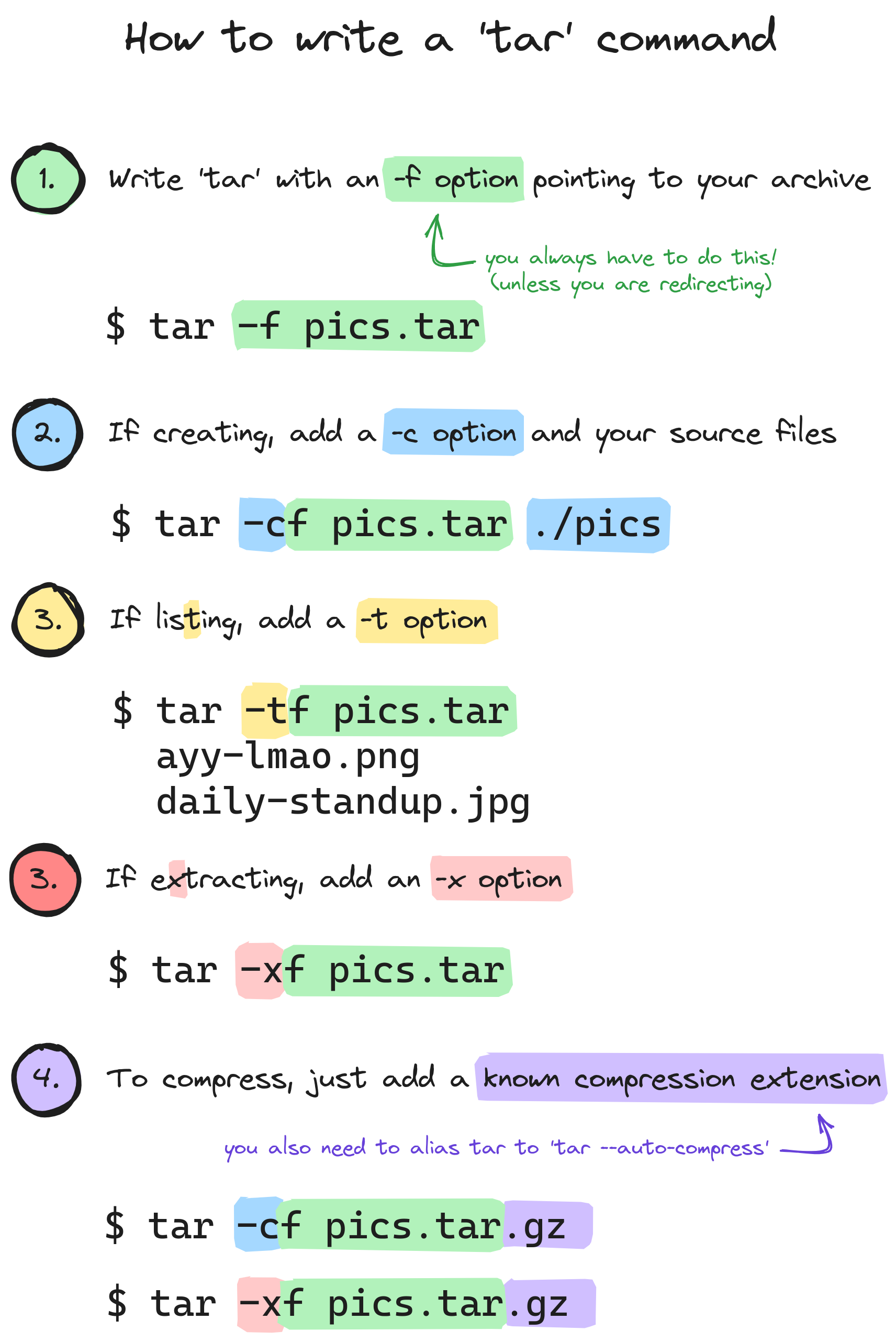
I usually just use tar -xvf {file} -- I like the verbosity when extracting just so I know it actually is doing things.
From Wikipedia, the free encyclopedia
Linux is a family of open source Unix-like operating systems based on the Linux kernel, an operating system kernel first released on September 17, 1991 by Linus Torvalds. Linux is typically packaged in a Linux distribution (or distro for short).
Distributions include the Linux kernel and supporting system software and libraries, many of which are provided by the GNU Project. Many Linux distributions use the word "Linux" in their name, but the Free Software Foundation uses the name GNU/Linux to emphasize the importance of GNU software, causing some controversy.
Community icon by Alpár-Etele Méder, licensed under CC BY 3.0
I usually just use tar -xvf {file} -- I like the verbosity when extracting just so I know it actually is doing things.
Just add -a for auto compression.
tar xafv every time, works like a charm.
Do you know if it recognize tgz extension?
Pretty sure it just reads the file contents, so extension is irrelevant, but either way it definitely works with the .tgz extension.
My tar command is tldr tar then ctrl + c / ctrl + v
I just have pack and extract functions in my shell RC files that look at file extensions and use the proper tool with proper arguments.
Wrote them 10 years ago and they've worked flawlessly ever since!
I personally just use tldr to figure out how it's done.
I didn't know about auto-compress, thanks!
I would also recommend -v for verbose and -z when compressing for gzip
What does --auto-compress do?
I'll keep using TLDR, best cli command ever.
I just use atool (archive tool) instead. It works the same for any common compression format (tar, gzip, zip, 7zip, rar, etc) and comes with handy aliases like apack and aunpack obsoleting the need to memorize options.