801
Godot
7249 readers
1 users here now
Welcome to the programming.dev Godot community!
This is a place where you can discuss about anything relating to the Godot game engine. Feel free to ask questions, post tutorials, show off your godot game, etc.
Make sure to follow the Godot CoC while chatting
We have a matrix room that can be used for chatting with other members of the community here
Links
Other Communities
- !inat@programming.dev
- !play_my_game@programming.dev
- !destroy_my_game@programming.dev
- !voxel_dev@programming.dev
- !roguelikedev@programming.dev
- !game_design@programming.dev
- !gamedev@programming.dev
Rules
- Posts need to be in english
- Posts with explicit content must be tagged with nsfw
- We do not condone harassment inside the community as well as trolling or equivalent behaviour
- Do not post illegal materials or post things encouraging actions such as pirating games
We have a four strike system in this community where you get warned the first time you break a rule, then given a week ban, then given a year ban, then a permanent ban. Certain actions may bypass this and go straight to permanent ban if severe enough and done with malicious intent
Wormhole
Credits
- The icon is a modified version of the official godot engine logo (changing the colors to a gradient and black background)
- The banner is from Godot Design
founded 2 years ago
MODERATORS
802
803
804
805
https://github.com/BenjaTK/Criss-Cross. A simple addon that adds 2 nodes: Grid2D and Grid3D, which contain cells and its values, and can be infinite or based on regions.

806
807
70
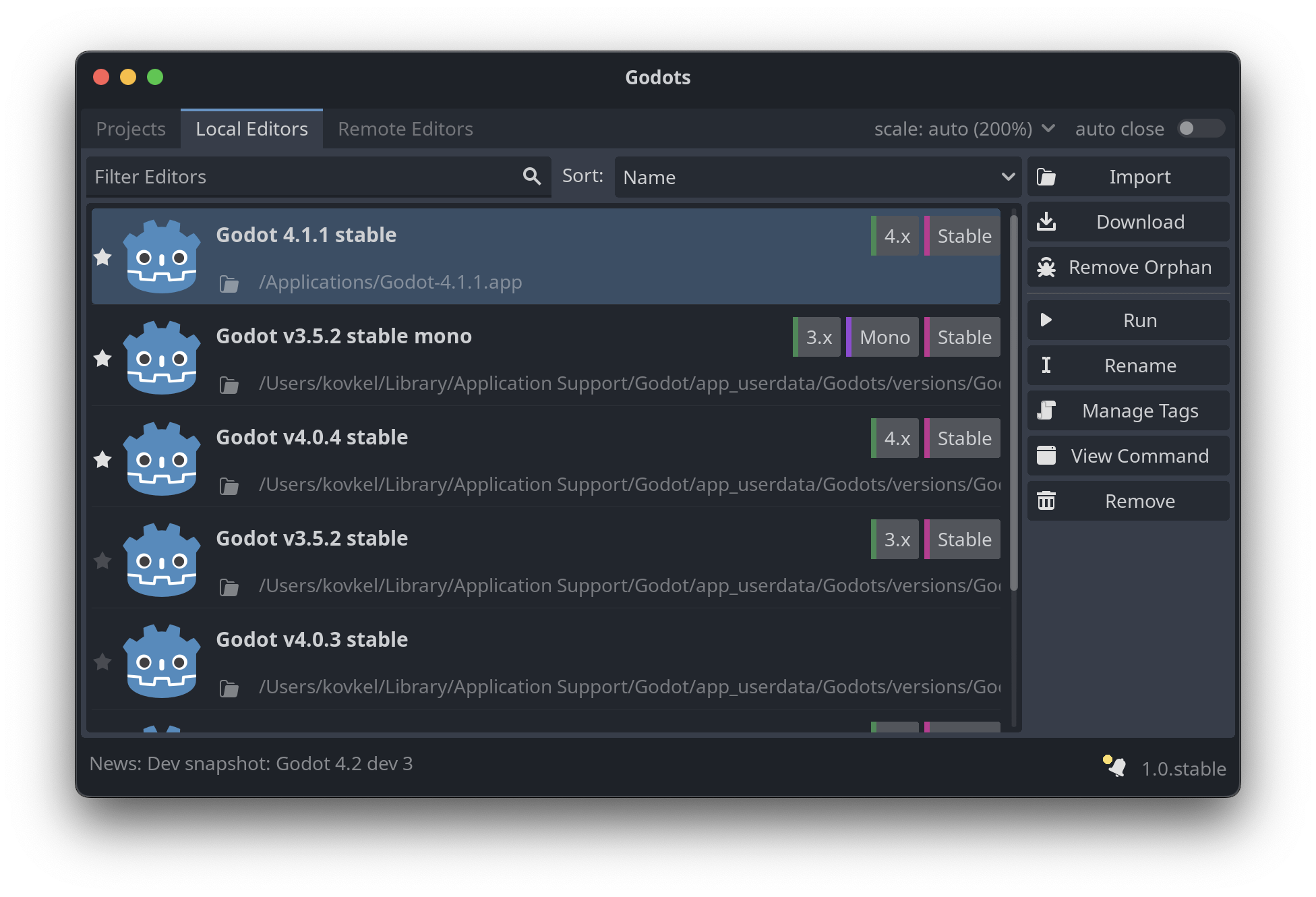
Introducing Godots: Ultimate go-to hub for managing your Godot versions and projects!
(programming.dev)
Nice app I saw shared
Source: https://github.com/MakovWait/godots
Download Links (Win, Macos, Linux): https://github.com/MakovWait/godots/releases/tag/v1.0.stable
808
809
810
811
812
813
814
815
816
817
818
819
820
821
822
823
824
Hey all. I have been tinkering on and off with godot for a month or so now, and I've spent a decent amount of time writing shaders and checking out some of the different lighting & post-processing features the engine has to offer. It's been a lot of fun!
However, despite a lot of practice and research, I haven't really been able to create something that really feels polished. Of course, I know that it takes time and effort and iteration to make a beautiful environment, just as with any other medium. Despite knowing that, I still feel like I can't really see the path from tinkering with lightmaps to something like Hyper Demon or Heavy Bullets or even something simple like Muck.
For example, I've been trying to capture the atmosphere of some of the art from Julian Faylona, especially something like this:

I had a lot of fun learning how to model the buildings, how to set up lighting and bake lightmaps and enable post-processing effects like glow, etc, etc. But it seems like I'm always missing something that brings it from "Game engine project #2857" to a striking, or at least compelling, environment.
So, I wanted to ask y'all: how do you approach polish in your projects, visual or otherwise? Is there anything specific you focus on, or anything you've had challenges with in the past that you learned from?
Again, I'm not expecting some magic trick that will magically make my projects pristine-- like any piece of art, polish is the result of many small details coming together to form a whole. I just think some pointers on what to spend time on, things to practice, details a beginner might overlook, or resources to study would be super helpful to me and many other newer devs in honing their skills!
Thanks for reading :)
825