Hackaday
Fresh hacks every day

Recently, [AlphaPhoenix] weighed an airplane. Normally, that wouldn’t be much of an accomplishment. Except in this case, the airplane happened to be in flight at the time. In fact we’re not sure what is more remarkable, as he not only weighed real actual airplanes but a paper airplane too!
The sealed box essentially acts as a pressure sensor.
To test the concept, a large scale is made from foamcore and four load cells which feed into an Arduino which in turn is connected to a laptop for a visualization. After a brief test with a toy car, [AlphaPhoenix] goes on to weigh a paper airplane as it flies over the scale. What we learn from the demonstration is that any weight from a flying object is eventually transferred to the ground via the air.
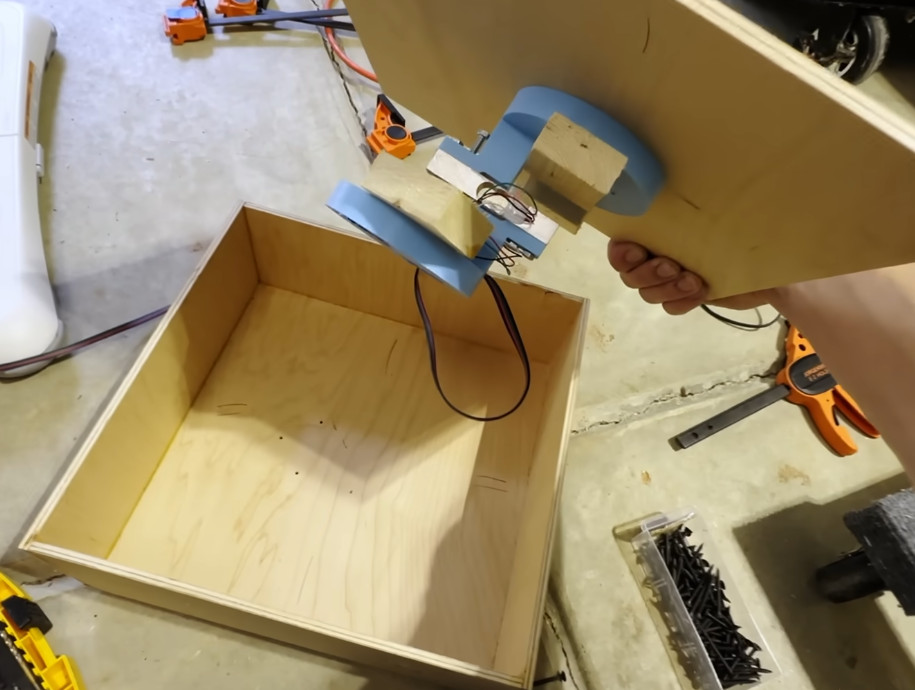
In the second part of the video a new, smaller, type of scale is created and taken to the airport where airplanes flying overhead are weighed over the course of three days. This new apparatus is basically a pressure sensor enclosed in a nominally air-tight box, essentially a fancy type of barometer. Measurements are taken, assumptions are made, and figures are arrived at. Unfortunately the calculated results are off by more than one order of magnitude, but that doesn’t stop this experiment from having been very cool!
If you’re interested in weighing things for fun or profit be sure to check out Hackaday Prize 2022: Arduino-Powered Weighing Scale Has A Real Analog Display or Reverse Engineering A Bathroom Scale For Automated Weight Tracking.
From Blog – Hackaday via this RSS feed

If you have very old pieces of analogue test equipment with CRTs on your bench, the chances are they will all have surprisingly similar surrounds to their screens. Back when they were made it was common to record oscilloscope screens with a Polaroid camera, that would have a front fitting for just this purpose.
More recent instruments are computerized so taking a screen shot should be easier, but that’s still not easy if the machine can’t save to a handy disk. Along comes [Tom] with a solution, to hook up a fake printer, and grab the screen from a print.
Old instruments come with a variety of ports, serial, IEE-488, or parallel, but they should usually have the ability to print a screen. Then capturing that is a case of capturing an interpreting the print data, be it ESC/P, PCL5, Postscript, or whatever. The linked page takes us through a variety of techniques, and should be of help to anyone who’s picked up a bargain in the flea market.
This isn’t the only time we’ve touched on the subject of bringing older computerized equipment into the present, we’ve also shown you a disk drive emulator.
Thanks [JohnU] for the tip.
From Blog – Hackaday via this RSS feed

Theoretically when you write a GUI-based application for Linux there are standards to follow, with these all neatly documented over at the Freedesktop website. However, in reality, Freedesktop is more of a loose collection of specifications, some of which are third-party specifications that have somehow become the de facto standard. One example of this is the StatusNotifierItem spec that provides a way for applications to create and manage a ‘system tray’ icon.
This feature incredibly useful for providing a consistent way to users to quickly access functionality and to see application status. Unfortunately, as [Brodie Robertson] notes in a recent video, not everyone agrees with this notion. Despite that Windows since 95 as well as MacOS/OS X and others provide similar functionality, Gnome and other Linux desktop environments oppose such system tray icons (despite a popular extension), with an inevitable discussion on Reddit as a result.
Although the StatusNotifierItem specification is listed on the Freedesktop website, it’s under ‘Draft specifications’ along with another, apparently internal-but-unfinished System tray proposal. Meanwhile DEs like KDE have integrated first-party support (KStatusNotifierItem) for the specification. There’s currently an active Freedesktop Gitlab discussion on the topic, whether StatusNotifierItem should even be in the list, or become an approved specification.
With the specification mired in bureaucracy and multiple camps pushing their own idea of what ‘the Linux desktop’ should look like, it feels like a real shame that the Linux Standard Base effort died a decade ago. Users and developers just want their desktop environment to come with zero surprises, after all.
From Blog – Hackaday via this RSS feed

Over on his YouTube channel our hacker [Yuchi] is building an STM32 BLDC motor winding machine.
This machine is for winding brushless motors because manual winding is highly labor intensive. The machine in turn is made from four brushless motors. He is using the SimpleFOC library to implement closed-loop angle control. Closed-loop torque control is also used to maintain correct wire tension.
The system is controlled by an STM32G431 microcontroller. The motor driver used is the DRV8313. There are three GBM5208 75T Gimbal motors for close-loop angle control, and one BE4108 60T Gimbal motor for torque control. The torque control motor was built with this machine! [Yuchi] says that the Gimbal motors used are designed to be smooth, precise, and powerful at low speeds.
The components of the machine communicate with each other over a CAN bus. This simplifies wiring as components (such as motor controller boards) only require four connections.
Thanks to [Ben] for writing in to let us know about this project. If you’re interested in automated wire winding we have certainly covered that before here at Hackaday. You might like to check out Tips For Winding Durable Coils With Nice, Flat Sides or Coil Winding Machine Makes It Easy.
From Blog – Hackaday via this RSS feed

We like USB-C here at Hackaday, but like all specifications it is up to manufacturers to follow it and sometimes… they don’t. Sick of commercial cables either don’t label their safe wattage, or straight up lie about it, [GreatScott!] decided to DIY his own ultimate USB-C-PD cable for faster charging in his latest video, which is embedded below.
It’s a very quick project that uses off-the-shelf parts from Aliexpress: the silicone-insulated cable, the USB-C plugs (one with the all-important identifier chip), and the end shells. The end result is a bit more expensive than a cable from Aliexpress, but it is a lot more trustworthy. Unlike the random cable from Aliexpress, [GreatScott!] can be sure his has enough copper in it to handle the 240W it is designed for. It should also work nicely with USB PPS, which he clued us into a while back. While [GreatScott!] was focusing here on making a power cable, he did hook up the low-speed data lines, giving him a trustworthy USB2.0 connection.
This isn’t the first time we’ve seen someone test USB gear and find it wanting, though the problem may have improved in the last few years. Nowadays it’s the data cables you cannot trust, so maybe rolling your own data cables will make a comeback. (Which would at least be less tedious than than DB-25 was back in the day. Anyone else remember doing that?) USB-C can get pretty complicated when it comes to all its data modes, but we have an explainer to get you started on that.
From Blog – Hackaday via this RSS feed

When you run into old hardware you cannot restore, what do you do? Toss it? Sell it for parts? If you’re [TME Retro], you hide a high-end mini PC inside an Amstrad-shaped sleeper build.
The donor laptop is an Amstrad ALT-286 with glorious 80s styling that [TME Retro] tried to save in a previous video. Even with help from the community there was no saving this unit, so we can put away the pitchforks and torches. This restomod is perhaps the best afterlife the old Amstrad could have hoped for.
At first [TME Retro] was going to try and fit an iPad Pro screen, but it turned out those don’t have the driver-board ecosystem the smaller iPads do, so he went with a non-retina LCD panel from Amazon instead. Shoving an LCD where an LCD used to live and sticking an expensive mini-PC inside a bulky 80s case is not the most inspiring of hacks, but that’s not all [TME Retro] did.
Clever dongles keep the original ports intact while allowing modern connectivity.
First, they were able to save the original keyboard, thanks to the longevity of the PC/AT standard and a PS/2 dongle — after all, PS/2 is essentially AT with a different connector. Then they produced what has to be the world’s highest-bandwidth parallel-port dongle by routing the two gigabyte network ports through the original 25-pin connector. USB is a serial bus, so breaking out two USB ports via the pins one of the old serial ports makes thematic sense. The second serial port is set up to take a PS/2 mouse instead of the serial mouse you might have used in the 80s. USB-C is still available via an adapter that went into the original expansion slot.
We’ve seen this sort of modding before, of course, on everything from 1980s vintage Mac Classics and LCD-386 portable PCs to 1990s Jellybean iMac G3s, to the internet-famous Hotwheels PC. It’s always sad to see old hardware fail, but arguably these casemods are a lot more usable to their owners than the original hardware could ever be in 2025.
From Blog – Hackaday via this RSS feed

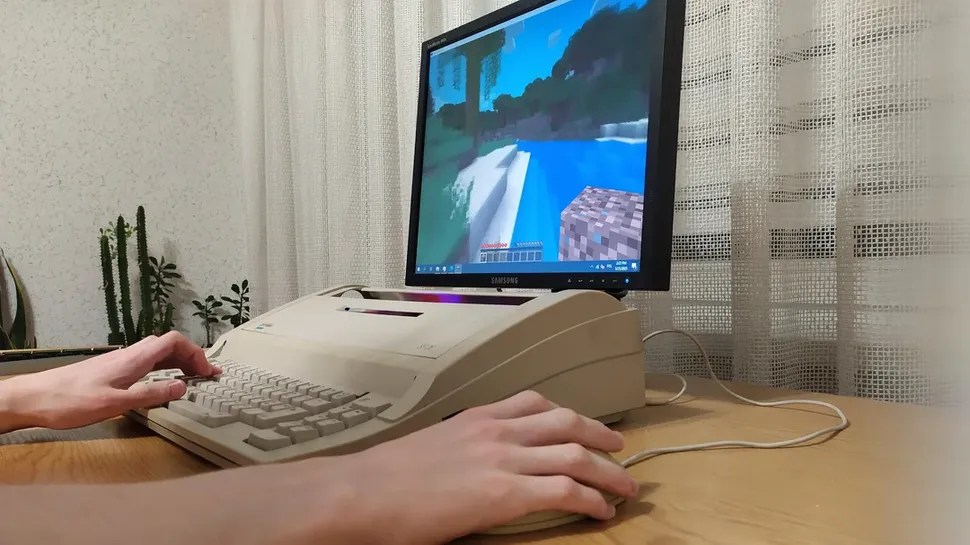
Can you teach an old typewriter new tricks? You can, at least if you’re [maniek-86]. And a word to all you typewriter fanatics out there — this Optima SP 26 was beyond repair, lacking several internal parts.
Image by [maniek-86] via redditBut the fully available keyboard was a great start for a gaming typewriter. So [maniek-86] crammed in some parts that were just laying around unused, starting with a micro-ATX motherboard.
But let’s talk about the keyboard. It has a standard matrix, which [maniek-86] hooked up to an Arduino Lenoardo. Although the keyboard has a Polish layout, [maniek-86] remapped it to English-US layout.
As you’ll see in the photos of the internals, this whole operation required careful Tetris-ing of the components to avoid overheating and ensure the cover could go back on.
The graphics were a bit of a challenge, since the motherboard had no PCI-E x16 slot. To address this, [maniek-86] used a riser cable, probably connected to a PCI-E x1 slot with an adapter, in order to use an NVIDIA GT 635 GPU. It can’t run AAA games at 4k, but you can bet that it’ll play Minecraft, Fortnite, or Dota 2 just fine.
Parkinson’s Keyboard Design Starts With the Human Body
This is OnCue, designed by [Alessandra Galli]. For Andrea, design is a “vehicle for care, inclusion, and meaningful social impact,” and these values are evident in her creation.
Image by [Alessandra Galli] via Design WantedWhat makes OnCue different? Lots of things. For one, there’s a pair of wearable cuffs which use haptic feedback and visual cues to help alleviate symptoms of Parkinson’s disease. The keycaps are like little trays for your fingers, so it’s much harder to accidentally hit neighboring keys while typing.
The keys themselves have haptic feedback as well as the cuffs. AI-driven visual cues light up the most likely next letters, which is interesting. And everybody deserves a split layout.
Although wrist-based haptic feedback was the most well-received feature based on user feedback, it’s interesting to note that no single feature stood out as preferred by all. Users found the haptic feedback calming and relaxing, which is a huge win compared to the usual keyboard experience faced by users with Parkinson’s disease. Because the overall Parkinson’s experience is different for everyone, [Alessandra] took a modular approach to designing the customization software. Users can adjust the settings based on routines, preferences, and intensity of symptoms. And plus it looks to me like there’s a haptic feedback slider right there on the keyboard.
The Centerfold: Bonsai? Banzai!
Image by [mugichanman] via redditAgain, isn’t this just nice? The overall look, of course. I wouldn’t be able to use that keyboard or probably that mouse, but maybe that keyboard hiding on the right would work.
Regarding the real bonsai on the right shelf, [mugichanman] keeps it outside for the most part. It only comes indoors for a little while — three days at the absolute most. If you’re interested in the care and feeding of these tiny trees, check out this bonsai master class in a book.
Do you rock a sweet set of peripherals on a screamin’ desk pad? Send me a picture along with your handle and all the gory details, and you could be featured here!
Historical Clackers: the Columbia Index Typewriter
Remember the Caligraph? Probably not, so I’ll wait. Well, apparently inventor Charles Spiro was hellbent on building a better Caligraph after he saw one being used. But he couldn’t raise enough capital to create such a large machine, so instead he went down to the basement and came up with the Columbia Index Typewriter.
Image via The Antikey Chop
If you’ll recall, index typewriters are like label makers — you must choose each character using an index of some kind. Operating this machine was no different.
One simply turned the straight handle on the right side to choose the character, which was highlighted by a small hand. Then the user would just press down on the handle to print it, and this action locked the typewheel so it wouldn’t slip and print something different.
Interestingly, the Columbia was the first typewriter with proportional spacing. That means that the carriage advanced based on the width of individual characters.
Columbia typewriters were only made for three years, from 1884-87. Three models were produced — Nos. 1 and 2, followed by an improved No. 2. The Columbia shown here is a No. 1, which typed in uppercase only. The 2 came out in March 1885 and could do upper and lowercase. The improved No. 2 was more robust and better mechanically, as well as being easier on the eyes. By 1887, Spiro was working on the Bar-Lock typewriter.
Finally, One-Handed Keyboard Does It Flat Out
The journey toward the keyboard you see here began with an email to [HTX Studio]. It came from a father who wanted to see his daughter be digitally independent again after an accident took the use of her right hand.
Image by [HTX Studio] via Yanko DesignHe asked the company to build a one-handed keyboard with a built-in trackball mouse, and even included a drawing of what he envisioned.
After several iterations, each tested by the daughter, the result is a compact, 61-key affair in a fanned-out arrangement for ease of use. Everything is within close reach, with special consideration given to the location of Space and Delete.
One of the early iterations had the user moving the entire keyboard around to mouse. While that’s definitely an interesting solution, I’m glad that everyone settled on the nicely exposed trackball with left and right click buttons above Space and Delete.
Another thing I’m happy about is that [HTX Studio] not only built 50 more of these in both left- and right-handed models and gave them away to people who need them, they went ahead and open-sourced it (Chinese, translated). Be sure to check out their fantastic video below.
Got a hot tip that has like, anything to do with keyboards? [Help me out by sending in a link or two](mailto:tips@hackaday.com?Subject=[Keebin' with Kristina]). Don’t want all the Hackaday scribes to see it? Feel free to [email me directly](mailto:kristinapanos@hackaday.com?Subject=[Keebin' Fodder]).
From Blog – Hackaday via this RSS feed

The Franck–Hertz experiment was a pioneering physics observation announced in 1914 which explained that energy came in “packets” which we call “quanta”, marking the beginning of quantum physics. Recently, [Markus Bindhammer] wrote in to let us know he had redone the experiment for himself.
In the original experiment a mercury vacuum tube was used, but in his recreation of the experiment [Markus] uses a cheaper argon tube. He still gets the result he is looking for though, which is quite remarkable. If you watch the video you will see the current readings clump around specific voltage levels. These voltage levels indicate that energy is quantized, which was a revolutionary idea at the time. If you’re interested in how contemporary physics regards, particles, waves, and quanta, check out this excellent presentation: But What Actually Is a Particle? How Quantum Fields Shape Reality.
Before closing we have to say that the quality of [Markus]’s build was exceptional. He made a permanent enclosure for his power supplies, made custom PCBs, used ferrule crimps for all his wire interconnects, included multiple power switches and dials, professionally labeled and insulated everything, and even went to the trouble of painting the box! Truly a first class build. One thing that surprised us though was his use of rivets where we would almost certainly have used bolts or screws… talk about confidence in your workmanship!
If you’re interested in quantum physics it is certainly a topic we have covered here at Hackaday. Check out Quantum Mechanics And Negative Time With Photon-Atom Interactions or Shedding Light On Quantum Measurement With Calcite.
From Blog – Hackaday via this RSS feed

Considered by many to be just a dull output for sequential text, the command-line terminal is a veritable canvas to the creative software developer. With the cursor as the brush, entire graphical user interfaces can be constructed, or even a basic text-based dashboard on which values can be updated without redrawing the entire screen over and over, or opting for a much heavier solution like a GUI.
Ncurses is one of the most well-known and rather portable Terminal User Interface (TUI) libraries using that such cursor control, and more, can be achieved in a fairly painless manner. That said, for anyone coming from a graphical user interface framework, the concepts and terminology with ncurses and similar can be confusingly different yet overlapping, so that getting started can be somewhat harrowing.
In this article we’ll take a look at ncurses’ history, how to set it up and how to use it with C and C++, and many more languages supported via bindings.
Tools And Curses
The acronym TUI is actually a so-called retronym, as TUIs were simply the way of life before the advent of bitmapped, videocard-accelerated graphics. In order to enable more than just basic, sequential character output, the terminal had to support commands that would move the cursor around the screen, along with commands that affect the way text is displayed. This basic sequence of moving the cursor and updating active attributes is what underlies TUIs, with the system’s supported character sets determining the scope of displayed characters.
Ncurses, short for “new curses“, is an evolution of the curses library by Ken Arnold as originally released in 1978 for BSD UNIX, where it saw use with a number of games like Rogue. Originally it was a freely distributable clone of System V Release 4.0 (SVr4) curses by the time of its release in 1993, based on the existing pcurses package. Later, ncurses adopted a range of new features over the course of its subsequent development by multiple authors that distinguished it from curses, and would result in it becoming the new de-facto default across a wide range of platforms.
The current version is maintained by Thomas Dickey, and the ncurses library and development files are readily available from your local package manager, or downloadable from the ncurses website. Compiling and running ncurses-based application is straightforward on Linux, BSD, and MacOS courtesy of the libncurses and related files being readily available and often already installed. On Windows you can use the MinGW port, with MSYS2 providing an appropriate terminal emulator, as well as the pacman package manager and access to the same ncurses functionality as on the other platforms.
Hello Curses
The core ncurses functionality can be accessed after including the ncurses.h header. There are two standard extensions in the panel.h and menu.h headers for panel stack management and menus, respectively. Panels are effectively wrappers around an ncurses window that automate a lot of the tedious juggling of multiple potentially overlapping windows. The menu extension is basically what it says on the tin, and makes creating and using menus easier.
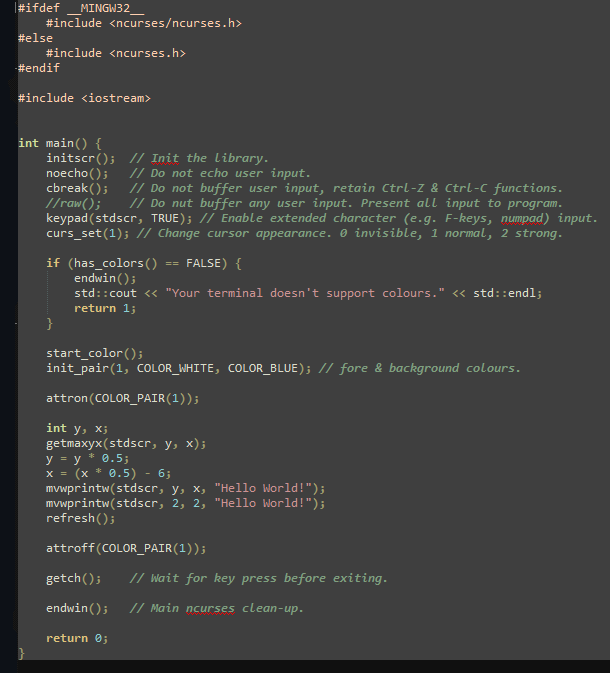
For a ‘hello world’ ncurses application we’d write the following:
This application initializes ncurses before writing the Hello World! string to both the top left, at (2, 2) and the center of the terminal window, with the terminal window size being determined dynamically with getmaxyx(). The mvprintw() and mvwprintw() work like printf(), with both taking the coordinates to move the cursor to the indicated position in row (y), column (x) order. The extra ‘w’ after ‘mv’ in the function name indicates that it targets a specific window, which here is stdscr, but could be a custom window. Do note that nurses works with y/x instead of the customary x/y order.
Next, we use attributes in this example to add some color. We initialize a pair, on index 1, using predefined colors and enable this attribute with attron() and the COLOR_PAIR macro before printing the text. Attributes can also be used to render text as bold, italic, blinking, dimmed, reversed and many more styles.
Finally, we turn the color attribute back off and wait for a keypress with getch() before cleaning up with endwin(). This code is also available along with a Makefile to build it in this GitHub repository as hello_ncurses.cpp. Note that on Windows (MSYS2) the include path for the ncurses header is different, and you have to compile with the -DNCURSES_STATIC define to be able to link.
Here the background, known as the standard screen (stdscr) is used to write to, but we can also segment this surface into windows, which are effectively overlays on top of this background.
Multi-Window Application
The Usagi Electric 1 (UE1) emulator with ncurses front-end.
There’s more to an ncurses application than just showing pretty text on the screen. There is also handling keyboard input and continuously updating on-screen values. These features are demonstrated in e.g. the emulator which I wrote recently for David Lovett’s Usagi Electric 1 (UE1) vacuum tube-based 1-bit computer. This was my first ever ncurses project, and rather educational as a result.
Using David’s QuickBasic-based version as the basis, I wrote a C++ port that differs from the QB version in that there’s no single large loop, but rather a separate CPU (processor.cpp) thread that processes the instructions, while the front-end (ue1_emu.cpp) contains the user input processing loop as well as the ncurses-specific functionality. This helps to keep the processor core’s code as generic as possible. Handling command line flags and arguments is taken care of by another project of mine: Sarge.
This UE1 front-end creates two ncurses windows with a specific size, draws a box using the default characters and refreshes the windows to make them appear. The default text is drawn with a slight offset into the window area, except for the ‘title’ on the border, which is simply text printed with leading and trailing spaces with a column offset but on row zero.
Handling user input with getch() wouldn’t work here, as that function is specific to stdscr and would foreground that ‘window’. Ergo we need to use the following: int key = wgetch(desc). This keeps the ‘desc’ window in focus and obtains the key input from there.
During each CPU cycle the update_display() function is called, in which successive mvwprintw() calls are made to update on-screen values, making sure to blank out previous data to prevent ghosting, with clrtoeol() and kin as the nuclear option. The only use of attributes is with color and bold around the processor state, indicating a running state in bold green and halted with bold red.
Finally, an interesting and crucial part of ncurses is the beep() function, which does what it says on the tin. For UE1 it’s used to indicate success by ringing the bell of the system (inspired by the Bendix G-15), which here provides a more subtle beep but can be used to e.g. indicate a successful test run. There’s also the flash() function that unsurprisingly flashes the terminal to get the operator’s attention.
A Much Deeper Rabbit Hole
By the time that you find yourself writing an ncurses-based application on the level of, say, Vim, you will need a bit more help just keeping track of all the separate windows that you will be creating. This is where the Panel library comes into play, which are basically wrappers for windows that automate a lot of the tedious stuff such as refreshing windows and keeping track of the window stack.
Applications also love to have menus, which can either be painstakingly created and managed using core ncurses features, or simplified with the Menu library. For everyone’s favorite data-entry widget, there is the Forms library, which provides not only the widgets, but also provides field validation features. If none of this is enough for your purposes, then there’s the Curses Development Kit (CDK). For less intensive purposes, such as just popping up a dialog from a shell script, there is the dialog utility that comes standard on Linux and many other platforms and provides easy access to ncurses functionality with very little fuss.
All of which serves to state that the ground covered in this article merely scratches the surface, even if it should be enough to get one at least part-way down the ncurses rabbit hole and hopefully appreciative of the usefulness of TUIs even in today’s bitmapped GUI world.
Header image: ncurses-tetris by [Won Yong Jang].
From Blog – Hackaday via this RSS feed

On the desktop, most people use the official HTML and JavaScript-based client for Discord in either a browser or a still-smells-like-a-browser Electron package. Yet what if there was a way to use a third-party client and even run it on Windows XP, Windows 95, and NT 3.1? This is exactly what [iDontProgramInCpp] did with their Discord Messenger project.
Fortunately, as a web ‘app’ the Discord API is readily accessible and they don’t seem to be in a rush to ban third-party clients. But it did require a bit of work to add newer versions of TLS encryption to Windows XP and older. Fortunately OpenSSL still supports these older platforms, so this was not a major hurdle and Windows XP happily ran this new Discord client. That left porting to older Windows versions.
Most of the challenge lies in writing shims for API calls that do not exist on these older platforms when backporting software from Windows XP to older Windows versions, and GCC (MinGW) had to be used instead of MSVC, but this also was a relatively minor detail. Finally, Windows NT 3.1 was picked as the last challenge for Discord Messenger, which ran into MSVCRT runtime issues and required backporting features to the NT 3.1 version that was still part of the OS back then.
[MattKC] covers the project in a recent video, as well as the AeroChat client which targets Windows Live Messenger fans. Hopefully the API that allows these projects to operate doesn’t get locked down, as third-party clients like these bring their own unique advantages to the Discord ecosystem.
From Blog – Hackaday via this RSS feed

YOLO can mean many things, but in the context of [be_riddickulous]’s AI Talking Robot Dinosaur it refers to the “You Only Look Once” YOLOv11 object-detection algorithm by Ultralytics, the method by which this adorable dino recognizes colors and shapes to teach them to children.
If you’re new to using YOLO or object recognition more generally, [be_riddiculous]’s tutorial is not a bad place to get started. She goes through how many images you’ll need and what types to get the shape-and-color recognition needed for this project, as well as how to annotate them and train the model, either locally or in the cloud.
The project itself is an adorable paper-mache dinosaur with a servo-actuated mouth hiding some LEDs and a Raspberry Pi camera module to provide images. In operation, the dinosaur “talks” to children using pre-recorded voice lines, inviting them to play a game and put a specific shape, or shape of a specific color (or both) in its mouth. Then the aforementioned object detection (running on a laptop) goes “YOLO” and identifies the shape so the toy can provide feedback on the child’s choice via a speaker in the belly of the beast.
The link to the game code is currently not valid, but it looks like they used PyGame for the audio output code. A servo motor controls the mouth, but without that code it’s not entirely clear to us what it’s doing. We expect by the time you read this there’s good odds [be_riddickulous] will have fixed that link and you can see for yourself.
The only thing that holds this back from being a great toy to put in every Kindergarten class is the need to have a laptop close by to plug the webcam into. A Raspberry Pi 5 ought to have the horsepower to run YOLOv11, so with a little extra effort the whole thing could be standalone — there might even be room in there for batteries.We’ve had other hacks aimed at little ones, like a kid-friendly computer to relive the glory days of the school computer lab or one of the many iterations of the RFID jukebox idea. If you want to wow the kiddos with AI, perhaps take a look at this talking Santa plush.
Got a cool project, AI, kid-related, or otherwise? Don’t forget to toss us a tip!
From Blog – Hackaday via this RSS feed

During Apple’s late-90s struggles with profitability, it made a few overtures toward licensing its software to other computer manufacturers, while at the same time trying to modernize its operating system, which was threatening to slip behind Windows. While Apple eventually scrapped their licensing plans, an interesting product of the situation was Rhapsody OS. Although Apple was still building PowerPC computers, Rhapsody also had compatibility with Intel processors, which [Omores] put to good use by running it on a relatively modern i7-3770 CPU.
[Omores] selected a Gigabyte GA-Z68A-D3-B3 motherboard because it supports IDE emulation for SATA drives, a protocol which Rhapsody requires. The operating system installer needs to run from two floppy disks, one for boot and one for drivers. The Gigabyte motherboard doesn’t support a floppy disk drive, so [Omores] used an older Asus P5E motherboard with a floppy drive to install Rhapsody onto an SSD, then transferred the SSD to the Gigabyte board. The installation initially had a kernel panic during installation caused by finding too much memory available. Limiting the physical RAM available to the OS by setting the maxmem value solved this issue.
After this, the graphical installation went fairly smoothly. A serial mouse was essential here, since Rhapsody doesn’t support USB. It detected the video card immediately, and eventually worked with one of [Omores]’s ethernet cards. [Omores] also took a brief look at Rhapsody’s interface. By default, there were no graphical programs for web browsing, decompressing files, or installing programs, so some command line work was necessary to install applications. Of course, the highlight of the video was the installation of a Doom port (RhapsoDoom).
This isn’t the first obscure Apple operating system we’ve seen; some of them have even involved updates to Apple’s original releases. We’ve also seen people build Apple hardware.
Thanks to [Stephen Walters] for the tip!
From Blog – Hackaday via this RSS feed

If you were alive when 2001: A Space Odyssey was in theaters, you might have thought it didn’t really go far enough. After all, in 1958, the US launched its first satellite. The first US astronaut went up in 1961. Eight years later, Armstrong put a boot on the moon’s surface. That was a lot of progress for 11 years. The movie came out in 1968, so what would happen in 33 years? Turns out, not as much as you would have guessed back then. [The History Guy] takes us through a trip of what could have been if progress had marched on after those first few moon landings. You can watch the video below.
The story picks up way before NASA. Each of the US military branches felt like it should take the lead on space technology. Sputnik changed everything and spawned both ARPA and NASA. The Air Force, though, had an entire space program in development, and many of the astronauts for that program became NASA astronauts.
The Army also had its own stymied space program. They eventually decided it would be strategic to develop an Army base on the moon for about $6 billion. The base would be a large titanium cylinder buried on the moon that would house 12 people.
The base called for forty launches in a single year before sending astronauts, and then a stunning 150 Saturn V launches to supply building materials for the base. Certainly ambitious and probably overly ambitious, in retrospect.
There were other moon base plans. Most languished with little support or interest. The death knell, though, was the 1967 Outer Space Treaty, which forbids military bases on the moon.
While we’d love to visit a moon base, we are fine with it not being militarized. We also want our jet packs.
From Blog – Hackaday via this RSS feed

Most people know that they shouldn’t plug strange flash drives into their computers, but what about a USB cable? A cable doesn’t immediately register as an active electronic device to most people, but it’s entirely possible to hide a small, malicious microcontroller inside the shell of one of the plugs. [Joel Serna Moreno] and some collaborators have done just that with their Evil Crow Cable-Wind.This cable comes in two variants: one USB-A to USB-C, and one with USB-C to USB-C. A tiny circuit board containing an ESP32-S3 hides inside a USB-C plug on each cable, and can carry out a keystroke injection attack. The cable’s firmware is open-source, and has an impressive set of features: a payload syntax checker, payload autocompletion, OS detection, and the ability to impersonate the USB device of your choice.The cable provides a control interface over WiFi, and it’s possible to edit and deploy live payloads without physical access to the cable (this is where the syntax checker should be particularly useful). The firmware also provides a remote shell for computers without a network connection; the cable opens a shell on the target computer which routes commands and responses through the cable’s WiFi connection (demonstrated in the video below).The main advantage of the Evil Crow Cable Wind is its price: only about $25, at which point you can afford to lose a few during deployment. We’ve previously seen a malicious cable once before. Of course, these attacks aren’t limited to cables and USB drives; we’ve seen them in USB-C docks, in a gaming mouse, and the fear of them in fans.
Thanks to [rustysun9] for the tip!
From Blog – Hackaday via this RSS feed

Balancing robots are always fun to see, as they often take forms we’re not used to, such as a box standing on its corner. This project, submitted by [Alexchunlin], showcases a cool single motor reaction cube, where he dives into many lessons learned during its creation.
At the outset, [Alexchunlin] thought this would be a quick, fun weekend project, and while he achieved that, it took longer than a weekend in the end. The cube’s frame was a simple 3D print with provisions to mount his MotorGo AXIS motor controller. This motor controller was initially designed for another project, but it’s great to see him reuse it in this build.
Once the parts were printed and assembled, the real work began: figuring out the best way to keep the cube balanced on its corner. This process involved several steps. The initial control code was very coarse, simply turning the motor on and off, but this didn’t provide the fine control needed for delicate balancing. The next step was implementing a PID control loop, which yielded much better results and allowed the cube to balance on a static surface for a good amount of time. The big breakthrough came when moving from a single PID loop to two control loops. In this configuration, the PID loop made smaller adjustments, while another control loop focused on the system’s total energy, making the cube much more stable.
By the end of the build, [Alexchunlin] had a cube capable of balancing in his hand, but more importantly, it was a great learning experience in controls. Be sure to visit the project page for more details on this build and check out his video below, which shows the steps he took along the way. If you find this project interesting, be sure to explore some of our other featured reaction wheel projects.
From Blog – Hackaday via this RSS feed

It is a well-known reality of rescuing certain older electronic devices that, at some point, you’re likely going to have to replace a busted capacitor. This is the stage [Kevin] is at in the 3rd installment in his saga of reviving a 50-year-old Military Tektronix oscilloscope.
[Kevin] recently discovered a failed capacitor in the power supply for this vintage analog scope. Having identified and removed the culprit, it was time to find a way to replace the faulty component with a modern equivalent. The original capacitor is out of fashion to the degree that a perfect replacement would be impractical and likely not desirable. This job would call for a bit of adaptation.
Starting with the recently desoldered pads on the power supply board as a template, [Kevin] walks us through his process of transferring his meticulously acquired measurements to KiCAD for the purpose of creating an adapter PCB. Once the original pads are mapped, he then draws in pads matching the leads of the new component, referencing the manufacturer’s schematic of the replacement part.
With everything drawn in place and design rule checks satisfied, it’s a quick turnaround from the PCB fabricator before this Tektronix scope moves one step closer to happy tracing again.
While the end product of this kludge is about as simple of a PCB as you might imagine, [Kevin’s] documentation is a thorough tutorial on the process for retrofitting components via adapter boards, covering some of the subtleties that you might miss if you’ve never been through it before.
We are looking forward to the next installment of Kevin’s undertaking. In the meantime, you can delve into other oscilloscope repair projects, here, here and here, or go deep on why capacitors fail as in the capacitor plague of the early 2000s (though these are not the same vintage or necessarily the same reason for failure as in [ Kevin’s ] device).
From Blog – Hackaday via this RSS feed

Predicting the future is a dangerous occupation. Few people can claim as much success as Arthur C. Clarke, the famous science and science fiction author. Thanks to the BBC and the Australian Broadcasting Company, we can see what Sir Arthur thought about the future in 1964 and then ten years later in 1974.
Perhaps his best-known prediction was that of communication satellites, but he called quite a few other things, too. Like all prognosticators, he didn’t bat a thousand, and he missed a wrinkle or two, but overall, he has a very impressive track record.
Horizon
In the 1964 BBC show, Horizon: The Knowledge Explosion, Clarke himself talked about how hard it is to predict the future. He then goes on to describe ultra-modern cities prior to the year 2000. However, he thought that after the year 2000, we won’t care about cities. We’ll communicate with each other without regard to location. Shades of the Internet and cell phone!
He clearly saw the work-from-home revolution. However, he also thought that we’d enslave other animals, which–mercifully–didn’t come to pass. His thoughts on computers were much more on point, although we still don’t quite have what he thought we would.
Direct information dumps to your brain are probably not happening anytime soon. Suspended animation isn’t very popular, either. Of course, all of this could still happen, and it would be totally spooky if he’d been 100% right.
To wrap up, he talks about a replicator when K. Eric Drexler was not even ten years old. We won’t say he called out the 3D printer, exactly, but he was on the track.
The Home Computer
Fast forward to 1974. A science reporter brought his son with him to an old-school mainframe room and pointed out to Clarke that in the year 2001, the boy would be an adult. Clarke predicted that the boy would have a computer in his house that would connect to other computers to get all the information he needed.
Once again, Clarke was really interested in being able to work from anywhere in the world. Of course, he moved to Sri Lanka and still managed to work, so maybe he just thought we should all enjoy the same privilege.
Two Years Later
In 1976, Clarke spoke with an AT&T interviewer about the future. He clearly saw the Internet for news and communications with — you guessed it — working from home.
He also brought up the smart watch, another invention to add to his yes column. About the only thing in that interview that we haven’t had luck with yet is contact with extraterrestrials.
Our Guess
We try not to make too many predictions. But we are going to guess that at least some of Clarke’s predictions are yet to come. There is one thing we are pretty sure of, though. When anyone predicts the future — even Clarke — they rarely see the gritty details. Sure, he saw the cell phone, but not the cell phone plan. Or malware. Or a host of other modern problems that would perplex anyone back in the 1960s.
Clarke has a better track record than most. We love looking at what people thought we’d be doing here in the future.
From Blog – Hackaday via this RSS feed

If you’re a mechanical engineering wonk, you might appreciate this latest video from [Henry Segerman] wherein he demonstrates his various expanding racks.
[Henry] explains how the basic “double-rack” unit can be combined to make more complex structures. These structures are similar in spirit to the Hoberman sphere, which is a compact structure that can be expanded to fill a large space.
The double-rack units get a lot more interesting when you combine two or more of them. They each have rails that accommodate additional double-racks, holding the double-racks together. Because of how the gears from each double-rack are connected to the teeth of the others, expanding two double-racks causes all connected units to also expand.
Through the rest of the video, [Henry] shows you the marvelous myriad ways the basic structures can be combined to make remarkable expanding racks. He also explains some of the missteps and gotchas that his latest designs avoid based on his experience.
If you’re interested in such things, you might also like to check out Lathe Gears Make A Clock or Gear Up: A 15-Minute Intro On Involute Gears.
Do you have your own mechanical engineering hacks? Let us know on the tips line!
From Blog – Hackaday via this RSS feed

For a world covered in oceans, getting a drink of water on Planet Earth can be surprisingly tricky. Fresh water is hard to come by even on our water world, so much so that most sources are better measured in parts per million than percentages; add together every freshwater lake, river, and stream in the world, and you’d be looking at a mere 0.0066% of all the water on Earth.
Of course, what that really says is that our endowment of saltwater is truly staggering. We have over 1.3 billion cubic kilometers of the stuff, most of it easily accessible to the billion or so people who live within 10 kilometers of a coastline. Untreated, though, saltwater isn’t of much direct use to humans, since we, our domestic animals, and pretty much all our crops thirst only for water a hundred times less saline than seawater.
While nature solved the problem of desalination a long time ago, the natural water cycle turns seawater into freshwater at too slow a pace or in the wrong locations for our needs. While there are simple methods for getting the salt out of seawater, such as distillation, processing seawater on a scale that can provide even a medium-sized city with a steady source of potable water is definitely a job for Big Chemistry.
Biology Backwards
Understanding an industrial chemistry process often starts with a look at the feedstock, so what exactly is seawater? It seems pretty obvious, but seawater is actually a fairly complex solution that varies widely in composition. Seawater averages about 3.5% salinity, which means there are 35 grams of dissolved salts in every liter. The primary salt is sodium chloride, with potassium, magnesium, and calcium salts each making a tiny contribution to the overall salinity. But for purposes of acting as a feedstock for desalination, seawater can be considered a simple sodium chloride solution where sodium anions and chloride cations are almost completely dissociated. The goal of desalination is to remove those ions, leaving nothing but water behind.
While thermal desalination methods, such as distillation, are possible, they tend not to scale well to industrial levels. Thermal methods have their place, though, especially for shipboard potable water production and in cases where fuel is abundant or solar energy can be employed to heat the seawater directly. However, in most cases, industrial desalination is typically accomplished through reverse osmosis RO, which is the focus of this discussion.
In biological systems, osmosis is the process by which cells maintain equilibrium in terms of concentration of solutes relative to the environment. The classic example is red blood cells, which if placed in distilled water will quickly burst. That’s because water from the environment, which has a low concentration of solutes, rushes across the semi-permeable cell membrane in an attempt to dilute the solutes inside the cell. All that water rushing into the cell swells it until the membrane can’t take the pressure, resulting in hemolysis. Conversely, a blood cell dropped into a concentrated salt solution will shrink and wrinkle, or crenellate, as the water inside rushes out to dilute the outside environment.
Water rushes in, water rushes out. Either way, osmosis is bad news for red blood cells. Reversing the natural osmotic flow of a solution like seawater is the key to desalination by reverse osmosis. Source: Emekadecatalyst, CC BY-SA 4.0.
Reverse osmosis is the opposite process. Rather than water naturally following a concentration gradient to equilibrium, reverse osmosis applies energy in the form of pressure to force the water molecules in a saline solution through a semipermeable membrane, leaving behind as many of the salts as possible. What exactly happens at the membrane to sort out the salt from the water is really the story, and as it turns out, we’re still not completely clear how reverse osmosis works, even though we’ve been using it to process seawater since the 1950s.
Battling Models
Up until the early 2020s, the predominant model for how reverse osmosis (RO) worked was called the “solution-diffusion” model. The SD model treated RO membranes as effectively solid barriers through which water molecules could only pass by first diffusing into the membrane from the side with the higher solute concentration. Once inside the membrane, water molecules would continue through to the other side, the permeate side, driven by a concentration gradient within the membrane. This model had several problems, but the math worked well enough to allow the construction of large-scale seawater RO plants.
The new model is called the “solution-friction” model, and it better describes what’s going on inside the membrane. Rather than seeing the membrane as a solid barrier, the SF model considers the concentrate and permeate surfaces of the membrane to communicate through a series of interconnected pores. Water is driven across the membrane not by concentration but by a pressure gradient, which drives clusters of water molecules through the pores. The friction of these clusters against the walls of the pores results in a linear pressure drop across the membrane, an effect that can be measured in the lab and for which the older SD model has no explanation.
As for the solutes in a saline solution, the SF model accounts for their exclusion from the permeate by a combination of steric hindrance (the solutes just can’t fit through the pores), the Donnan effect (which says that ions with the opposite charge of the membrane will get stuck inside it), and dielectric exclusion (the membrane presents an energy barrier that makes it hard for ions to enter it). The net result of these effects is that ions tend to get left on one side of the membrane, while water molecules can squeeze through more easily to the permeate side.
Turning these models into a practical industrial process takes a great deal of engineering. A seawater reverse osmosis or SWRO, plant obviously needs to be located close to the shore, but also needs to be close to supporting infrastructure such as a municipal water system to accept the finished product. SWRO plants also use a lot of energy, so ready access to the electrical grid is a must, as is access to shipping for the chemicals needed for pre- and post-treatment.
Pores and Pressure
Seawater processing starts with water intake. Some SWRO plants use open intakes located some distance out from the shoreline, well below the lowest possible tides and far from any potential source of contamination or damage, such a ship anchorages. Open intakes generally have grates over them to exclude large marine life and debris from entering the system. Other SWRO plants use beach well intakes, with shafts dug into the beach that extend below the water table. Seawater filters through the sand and fills the well; from there, the water is pumped into the plant. Beach wells have the advantage of using the beach sand as a natural filter for particulates and smaller sea critters, but do tend to have a lower capacity than open intakes.
Aside from the salts, seawater has plenty of other unwanted bits, all of which need to come out prior to reverse osmosis. Trash racks remove any shells, sea life, or litter that manage to get through the intakes, and sand bed filters are often used to remove smaller particulates. Ultrafiltration can be used to further clarify the seawater, and chemicals such as mild acids or bases are often used to dissolve inorganic scale and biofilms. Surfactants are often added to the feedstock, too, to break up heavy organic materials.
By the time pretreatment is complete, the seawater is remarkably free from suspended particulates and silt. Pretreatment aims to reduce the turbidity of the feedstock to less than 0.5 NTUs, or nephelometric turbidity units. For context, the US Environmental Protection Agency standard for drinking water is 0.3 NTUs for 95% of the samples taken in a month. So the pretreated seawater is almost as clear as drinking water before it goes to reverse osmosis.
SWRO cartridges have membranes wound into spirals and housed in pressure vessels. Seawater under high pressure enters the membrane spiral; water molecules migrate across the membrane to a center permeate tube, leaving a reject brine that’s about twice as saline as the feedstock. Source: DuPont Water Solutions.
The heart of reverse osmosis is the membrane, and a lot of engineering goes into it. Modern RO membranes are triple-layer thin-film composites that start with a non-woven polyester support, a felt-like material that provides the mechanical strength to withstand the extreme pressures of reverse osmosis. Next comes a porous support layer, a 50 μm-thick layer of polysulfone cast directly onto the backing layer. This layer adds to the physical strength of the backing and provides a strong yet porous foundation for the active layer, a cross-linked polyamide layer about 100 to 200 nm thick. This layer is formed by interfacial polymerization, where a thin layer of liquid monomer and initiators is poured onto the polysulfone to polymerize in place.
An RO rack in a modern SWRO desalination plant. Each of the white tubes is a pressure vessel containing seven or eight RO membrane cartridges. The vessels are plumbed in parallel to increase flow through the system. Credit: Elvis Santana, via Adobe Stock.
Modern membranes can flow about 35 liters per square meter every hour, which means an SWRO plant needs to cram a lot of surface area into a little space. This is accomplished by rolling the membrane up into a spiral and inserting it into a fiberglass pressure vessel, which holds seven or eight cartridges. Seawater pumped into the vessel soaks into the backing layer to the active layer, where only the water molecules pass through and into a collection pipe at the center of the roll. The desalinated water, or permeate, exits the cartridge through the center pipe while rejected brine exits at the other end of the pressure vessel.
The pressure needed for SWRO is enormous. The natural osmotic pressure of seawater is about 27 bar (27,000 kPa), which is the pressure needed to halt the natural flow of water across a semipermeable membrane. SWRO systems must pressurize the water to at least that much plus a net driving pressure (NPD) to overcome mechanical resistance to flow through the membrane, which amounts to an additional 30 to 40 bar.
Energy Recovery
To achieve these tremendous pressures, SWRO plants use multistage centrifugal pumps driven by large, powerful electric motors, often 300 horsepower or more for large systems. The electricity needed to run those motors accounts for 60 to 80 percent of the energy costs of the typical SWRO plant, so a lot of effort is put into recovering that energy, most of which is still locked up in the high-pressure rejected brine as hydraulic energy. This energy used to be extracted by Pelton-style turbines connected to the shaft of the main pressure pump; the high-pressure brine would spin the pump shaft and reduce the mechanical load on the pump, which would reduce the electrical load. Later, the brine’s energy would be recovered by a separate turbo pump, which would boost the pressure of the feed water before it entered the main pump.
While both of these methods were capable of recovering a large percentage of the input energy, they were mechanically complex. Modern SWRO plants have mostly moved to isobaric energy recovery devices, which are mechanically simpler and require much less maintenance. Isobaric ERDs have a single moving part, a cylindrical ceramic rotor. The rotor has a series of axial holes, a little like the cylinder of an old six-shooter revolver. The rotor is inside a cylindrical housing with endcaps on each end, each with an inlet and an outlet fitting. High-pressure reject brine enters the ERD on one side while low-pressure seawater enters on the other side. The slugs of water fill the same bore in the rotor and equalize at the same pressure without much mixing thanks to the different densities of the fluids. The rotor rotates thanks to the momentum carried by the incoming water streams and inlet fittings that are slightly angled relative to the axis of the bore. When the rotor lines up with the outlet fittings in each end cap, the feed water and the brine both exit the rotor, with the feed water at a higher pressure thanks to the energy of the reject brine.
For something with only one moving part, isobaric ERDs are remarkably effective. They can extract about 98% of the energy in the reject brine, pressuring the feed water about 60% of the total needed. An SWRO plant with ERDs typically uses 5 to 6 kWh to produce a cubic meter of desalinated water; ERDs can slash that to just 2 to 3 kWh.
Isobaric energy recovery devices can recover half of the electricity used by the typical SWRO plant by using the pressure of the reject brine to pressurize the feed water. Source: Flowserve.
Finishing Up
Once the rejected brine’s energy has been recovered, it needs to be disposed of properly. This is generally done by pumping it back out into the ocean through a pipe buried in the seafloor. The outlet is located a considerable distance from the inlet and away from any ecologically sensitive areas. The brine outlet is also generally fitted with a venturi induction head, which entrains seawater from around the outlet to partially dilute the brine.
As for the permeate that comes off the RO racks, while it is almost completely desalinated and very clean, it’s still not suitable for distribution into the drinking water system. Water this clean is highly corrosive to plumbing fixtures and has an unpleasantly flat taste. To correct this, RO water is post-processed by passing it over beds of limestone chips. The RO water tends to be slightly acidic thanks to dissolved CO2, so it partially dissolves the calcium carbonate in the limestone. This raises the pH closer to neutral and adds calcium ions to the water, which increases its hardness a bit. The water also gets a final disinfection with chlorine before being released to the distribution network.
From Blog – Hackaday via this RSS feed

It’s never a bad time to look at a clock, and one could certainly do worse than this delightful Paper Sunshine Clock by [anneosaur]. The sun-ray display is an interesting take on the analog clock, and its method of operation is not one we see every day, either.
Reading the clock is straightforward: there are twelve rays divided into two segments. Once you figure out that this artful object is a clock, it’s easy enough to guess that the rays give the hours, and half-rays are half-hours. In the photo above, it’s sometime between nine o’clock and nine thirty. Our Swiss readers might not be terribly impressed, but a “fuzzy” clock like this is quite good enough much of the time for many people.
Even the flex PCB holding the resistors looks like a work of art.
The title gives away its method of operation: it’s thermochromic paint! The paint is printed onto a piece of Japanese awagami paper, which is pressed against a flexible PCB holding an array of resistors. Large copper pads act as heat spreaders for the resistors. For timekeeping and control, an Atmega328PB is paired with a DS3231MZ RTC, with a coin cell for backup power when the unit is unplugged. (When plugged in, the unit uses USB-C, as all things should.) That’s probably overkill for a +/-30 minute display, but we’re not complaining.
The Atmega328PB does not have quite enough outputs to drive all those resistors, so a multiplexing circuit is used to let the 10 available GIPO control current to 24 rays. Everything is fused for safety, and [anneosaur] even includes a temperature sensor on the control board. The resistors are driven by a temperature-compensated PWM signal to keep them from overheating or warming up too slowly, regardless of room temperature. The attention to detail here is as impressive as the aesthetics.
[annenosaur] has even thought of those poor people for whom such a fuzzy clock would never do (be they Swiss or otherwise) — the Paper Sunshine Clock has a lovely “sparkle mode” that turns the rays on and off at random, turning the clock into an art piece. A demo video of that is below. If you find this clock to be a ray of sunshine, everything you need to reproduce it is on GitHub under an MIT or CC4.0 license.
This is not the first thermochromic clock we’ve featured, though the last one was numeric. If you must have minute accuracy in a thermochromic analog clock, we’ve got you covered there, too.
Special thanks to [anneosaur] for submitting the hack. If you’ve seen (or made) a neat clock, let us know! You won’t catch us at a bad time; it’s always clock time at Hackaday.
From Blog – Hackaday via this RSS feed
[Doug Brown] had a problem. He uses a dummy HDMI plug to fool a computer into thinking it has a monitor for when you want to run the computer headless. The dummy plug is a cheap device that fools the computer into thinking it has a monitor and, as such, has to send the Extended Display ID (EDID) to the computer. However, that means the plug pretends to be some kind of monitor. But what if you want it to pretend to be a different monitor?
The EDID is sent via I2C and, as you might expect, you can use the bus to reprogram the EEPROM on the dummy plug. [Doug] points out that you can easily get into trouble if you do this with, for example, a real monitor or if you pick the wrong I2C bus. So be careful.
In [Doug’s] case, he wanted to drop a 4K dummy plug to 1080p, but you could probably just as easily go the other way. After all, the plug itself couldn’t care less what kind of video you send it. It drops it all anyway.
Want to know more about HDMI? We can help out with that.
From Blog – Hackaday via this RSS feed

As useful as corrugated cardboard is, we generally don’t consider it to be a very sturdy material. The moment it’s exposed to moisture, it begins to fall apart, and it’s easily damaged even when kept dry. That said, there are ways to make corrugated cardboard a lot more durable, as demonstrated by the [NightHawkInLight]. Gluing multiple panels together so that the corrugation alternates by 90 degrees every other panel makes them more sturdy, with wheat paste (1:5 mixture of flour and water) recommended as adhesive.
More after the break…
Other tricks are folding over edges help to protect against damage, and integrating wood supports. Normal woodworking tools like saws can cut these glued-together panels. Adding the wheat paste to external surfaces can also protect against damage. By applying kindergarten papier-mâché skills, a custom outside layer can be made that can be sanded and painted for making furniture, etc.
Beyond these and other tips, there remains the issue of protection against water intrusion. The (biodegradable) solution here is shellac. Unfortunately, pure (canned) shellac isn’t good enough for long-term exposure to moisture, so the recipe recommended here is: 0.5 L of (~91%) IPA, 125 g of shellac flakes, and 15 g of beeswax. After heating and stirring, a paste wax is created that can be brushed on the cardboard to provide water resistance, without turning said cardboard into chemical waste.
As an alternative waterproof coating (but not biodegradable) there’s another recipe: 100 g hot glue sticks, 25 g paraffine wax or beeswax, and 20 mL of mineral oil (which lowers the melting temperature).
Although these methods, including the also discussed UV protection coatings – require some time and materials investment. Since cardboard is effectively free, there’s something to be said for this approach, if only as a fun chemistry or physics project. For [NightHawkInLight] it’s being used as the roof on his DIY camper, for which it seems like a nice lightweight, waterproof option.
Thanks to [James Newton] for the tip.
From Blog – Hackaday via this RSS feed

XR may not have crashed into our lives as much as some tech billionaires have wished, but that doesn’t stop the appeal of a full display that takes up no physical space. At that point, why not get rid of the computer that takes up living space as well? That is what [Michael] tries to do with Bento, the form factor of an Apple Magic keyboard and the power of a Steam Deck.
Steam Deck modding is a great project to get started on but we don’t see too many VR or XR uses of the mobile pc. While the VR gaming potential is limited by lackluster power, general productivity is a perfect use case. All that productivity power can be found in a 3D printed case with a battery, allowing for some mobile use. A magic keyboard sits on top of the case, so the entire package takes up less space than the average mechanical keyboard. However, we could always support the addition of a mechanical key version. There’s plenty of spare room in this current design, just look at the storage area!

[Michael] believes that this use of XR fulfills a more true course for “spatial computing” than Apple’s Vision Pro. Of course, this design is not restricted to only XR use; the Steam Deck is capable of running on any normal monitor you would like. Regardless, we need to see the model files to verify for ourselves! [Michael] claims these resources will be available soon, and trust us that we will be waiting!
Minimalist builds are far from unheard of here on Hackaday. After all, less room taken up by random cables or clutter means more room for projects. This is a lesson clearly followed by similar projects such as this completely wireless-powered desktop!
From Blog – Hackaday via this RSS feed

Are robotaxis poised to be the Next Big Thing
in North America? It seems so, at least according to Goldman Sachs, which issued a report this week stating that robotaxis have officially entered the commercialization phase of the hype cycle. That assessment appears to be based on an analysis of the total ride-sharing market, which encompasses services that are currently almost 100% reliant on meat-based drivers, such as Lyft and Uber, and is valued at $58 billion. Autonomous ride-hailing services like Waymo, which has a fleet of 1,500 robotaxis operating in several cities across the US, are included in that market but account for less than 1% of the total right now. But, Goldman projects that the market will burgeon to over $336 billion in the next five years, driven in large part by “hyperscaling” of autonomous vehicles.
We suspect the upcoming launch of Tesla’s robotaxis in Austin, Texas, accounts for some of this enthusiasm for the near-term, but we have our doubts that a market based on such new and complex technologies can scale that quickly. A little back-of-the-envelope math suggests that the robotaxi fleet will need to grow to about 9,000 cars in the next five years, assuming the same proportion of autonomous cars in the total ride-sharing fleet as exists today. A look inside the Waymo robotaxi plant outside of Phoenix reveals that it can currently only convert “several” Jaguar electric SUVs per day, meaning they’ve got a lot of work to do to meet the needed numbers. Other manufacturers will no doubt pitch in, especially Tesla, and factory automation always seems to pull off miracles under difficult circumstances, but it still seems like a stretch to think there’ll be that many robotaxis on the road in only five years. Also, it currently costs more to hail a robotaxi than an Uber or Lyft, and we just don’t see why anyone would prefer to call a robotaxi, unless it’s for the novelty of the experience.
On the other hand, if the autonomous ride-sharing market does experience explosive growth, there could be knock-on benefits even for Luddite naysayers such as we. A report, again from Goldman Sachs — hey, they probably have a lot of skin in the game — predicts that auto insurance rates could fall by 50% as more autonomous cars hit the streets. This is based on markedly lower liability for self-driving cars, which have 92% fewer bodily injury claims and 88% lower property damage claims than human-driven cars. Granted, those numbers have to be based on a very limited population, and we guarantee that self-drivers will find new and interesting ways to screw up on the road. But if our insurance rates fall even a little because of self-driving cars, we’ll take it as a win.
Speaking of robotics, if you want to see just how far we’ve come in terms of robot dexterity, look no further than the package-sorting abilities of Figure’s Helix robot. The video in the article is an hour long, but you don’t need to watch more than a few minutes to be thoroughly impressed. The robot is standing at a sorting table with an infeed conveyor loaded with just about the worst parcels possible, a mix of soft, floppy, poly-bagged packages, flat envelopes, and traditional boxes. The robot was tasked with placing the parcels on an outfeed conveyor, barcode-side down, and with proper separation between packages. It also treats the soft poly-bag parcels to a bit of extra attention, pressing them down a bit to flatten them before flicking them onto the belt. Actually, it’s that flicking action that seems the most human, since it’s accompanied by a head-swivel to the infeed belt to select its next package. Assuming this is legit autonomous and not covertly teleoperated, which we have no reason to believe, the manual dexterity on display here is next-level; we’re especially charmed by the carefree little package flip about a minute in. The way it handles mistakenly grabbing two packages at once is pretty amazing, too.
And finally, our friend Leo Fernekes dropped a new video that’ll hit close to home for a lot of you out there. Leo is a bit of a techno-hoarder, you see, and with the need to make some room at home and maintain his domestic tranquility, he had to tackle the difficult process of getting rid of old projects, some of which date back 40 or more years. Aside from the fun look through his back-catalog of projects, the video is also an examination of the emotional attachments we hackers tend to develop to our projects. We touched on that a bit in our article on tech anthropomorphization, but we see how going through these projects is not only a snapshot of the state of the technology available at the time, but also a slice of life. Each of the projects is not just a collection of parts, they’re collections of memories of where Leo was in life at the time. Sometimes it’s hard to let go of things that are so strongly symbolic of a time that’s never coming back, and we applaud Leo for having the strength to pitch that stuff. Although seeing a clock filled with 80s TTL chips and a vintage 8085 microprocessor go into the bin was a little tough to watch.
From Blog – Hackaday via this RSS feed