homelab

6589 readers
1 users here now

founded 5 years ago
MODERATORS
176


So I was recently gifted some Mellanox 40gig network cards that I installed in my NAS and my desktop and connected with AOC fiber. I gave them both static IP addresses on their own dedicated subnet that's not used anywhere else in my network. I was able to run iperf3 between both computers, and that worked exactly as expected.

At that point, I edited /etc/fstab to update the IP addresses for my mounted network shares. I ran # mount -a successfully and thought all was well.

The problem is, my computer defaults to my one gig lan connection for some reason, despite the entries in fstab using a completely different subnet.

The only way I've found to force it to work properly is to disable my LAN connection, then remount the network shares, then reenable the LAN port.

On one occasion I noticed that a file I was duplicating on my NAS was being downloaded via my LAN to my computer to duplicate, then being uploaded back to the NAS via the fiber connection.

Does anyone have any clue why this may be happening or how to fix it more permanently?

The NAS is Debian, my desktop is Manjaro.

177


I just received my supermicro x9dr3-f motherboard, which has two cpu 8pin connectors for power, while the power supply I was going to use only has 1. I'm only going to be using a single e5 2667 v2 with it, do I really need to buy a new psu?

The cpu has a 130W tdp.

178


Hello, I'm looking for a budget switch, second hand or new, which has the following:

  • At least 2, preferrably 4, sfp+ ports.
  • At least 2 2.5G or 10G rj45 ports.
  • At least 16 1G rj45 ports.
  • Under or around 300 euro.

Im in europe, so finding a nice switch used is hard. Most ship from america with loads of import tax and shipping costs.

I currently have a Mikrotik CRS326-24G-2S+RM switch, which has 24 gigabit dj45 ports and 2 sfp+ ones. This is almost enough, and I was just thinking of getting this random unmanaged switch from amazon which could meet what I want.

I have two proxmox nodes which I want to connect with sfp+ to my network, and then have 2.5G to any pc that needs to access the NAS on one of them. I would have one node connected to the Mikrotik switch, which would connect to the other switch, which would then connect to my other node, all with sfp+. Would that work?

179
 
 
services:
  db:
    image: mariadb
    restart: always
    command: --transaction-isolation=READ-COMMITTED --log-bin=binlog --binlog-format=ROW
    volumes:
      - ./mysql:/var/lib/mysql
    environment:
      - MYSQL_PASSWORD=supersecretpassword
      - MYSQL_DATABASE=nextclouddb
      - MYSQL_USER=nextclouduser
      - MYSQL_RANDOM_ROOT_PASSWORD='yes'

  redis:

    image: redis

    restart: always

    command: redis-server --requirepass supersecretpassword2

  app:
    image: nextcloud:27
    restart: always
    ports:
      - 8080:80
    links:
      - db
      - redis
    volumes:
      - ./html:/var/www/html
    environment:
      - MYSQL_PASSWORD=supersecretpassword
      - MYSQL_DATABASE=nextclouddb
      - MYSQL_USER=nextclouduser
      - MYSQL_HOST=db
      - REDIS_HOST_PASSWORD=supersecretpassword2
    depends_on:
      - db
      - redis
  cron:
    image: nextcloud:27
    restart: always
    volumes:
      - ./html:/var/www/html
    entrypoint: /cron.sh
    depends_on:
      - db
180
181


Hello,

I have around 3/4TB of photos (i store a JPG and a raw file) from maybe years. I just have them on a (external) 4TB HDD, and once a year i back them up to another (external) 4TB HDD (that i for the most part stored on the same location). I recently build a small homelab, just one old gaming pc. Now I and my family use Nextcloud notes, nextcloud contacts, nextcloud calendar, nextcloud phonetrack and more. I thought it would finally be a good time to transfer the photos to a ssd and use them with nextcloud so everyone can view the photos anyware! I run proxmox, so I want to buy one 8TB ssd (or 2x 4TB SSD Raid 0) and use it with something like truenas, to make it available for another proxmox vm where i host nextcloud.

Few questions: can nextcloud store this much? And will it cost any performance? The photos don't really have any metadata, i just stored them in a folder structure like 2017 -> September ect, will this work with nextcloud? And the most important question: how can i make a GOOD backup system for this? I tought maybe a (encrypted) backup in the cloud, but its just expensive and i dont like the dependence. Any ideas?

Hopefully you can give me some tips and insights about how you would handle this. Thank you!

182


Last time I posted a full writeup on my lab (The before before this) there was a lot of questions on what exactly I was running at home. So here is a full writeup on everything I am running, and how you can run it too

183


I have a mini-PC running windows. On that, I run home assistant in virtualbox, have plex installed, and a cheap USB harddrive plugged in to keep my plex media. I've turned on sharing for a folder in this drive so other devices on my network can access it.

I've watched some videos and read some tutorials. I have a pretty good idea on how I'm going to run HA and Plex, but I'm unsure about turning my USB drive into something the rest of my devices can access as well as something Plex can directly access too.

What would you recommend as the most beginner friendly, easy way to accomplish this? I keep seeing TrueNAS pop up, but I'm not convinced this isn't way overkill for what I want to do. So what would you recommend I look at to start out? The amount of information and things I don't know yet is a little overwhelming.

After I get more familiar with the system, I'm totally happy to branch out and try more advanced things that most people prefer, but that's down the road for me now.

Edit: to be clear, I'm planning on completely ditching windows and setting everything back up in proxmox

184


I'm pretty much new to all things homelab as I've only started looking into it because of my job. I'm relatively new to my position (first job I got after getting my degree), so I wanted to learn more about virtualization and other related tools that could help me.

I want to practice using VMs and such. VMware vCenter, ESXi, PowershellCLI, Microsoft Windows Servers, RHEL, and others. And while my work does provide me a remote production environment for these, it's not always available to me. A lot of other people work on them and I can't really just go in and start messing around.

So I've been looking into getting a homelab setup for myself. I'm just not really sure what I should be going for, though. Do I get a Dell Poweredge Rxx0? I do have a PC of my own that I've been using with Hyper-V and VMware Workstation to create VMs of what I mentioned, but I dunno if I should just get a dedicated server or not? Should I just upgrade my RAM and add in some SSDs on my PC and would that work fine for me?

185


I know a lot of us run Folding@home or BOINC on our rigs, I made some lemmy subcommunities for sharing the latest discoveries and news: !folding@lemmy.ml !boinc@sopuli.xyz

Hope you all have a wonderful day

186


I've been running a full tower Windows server with a dozen drives for a decade and decided to downsize. This ministack does everything I need at a fraction of the power, noise, and heat.

I use it primarily for Plex but also host a few games servers for buddies. It fits perfectly in my entertainment center.

Spent around $200 on the Mac Mini plus $600 on the drives and enclosures. I'm using SoftRAID for RAID1.

187


Currently, I am have a VMware vCenter 7 4 node cluster. These are the Lenovo m920q machines with 64GB RAM each. I also have a Synology 4 Disk NAS too.

I deploy standard VMs and Rancher k8s clusters and use full automation (mainly Terraform) to build everything.

Why VMware? Mainly to get experience on it.

Why am I interested in OpenStack? Mainly because I have used it before and really enjoyed that experience as it feels more like a true cloud environment.

So, my question is this.... Has anyone switched one way or the other? Were you glad at switching or do you regret it?

If you did switch, what is a good way to setup multi node OpenStack? I see people recommend at least one separate controller vs the compute nodes?

188
189
 
 
190
191
192


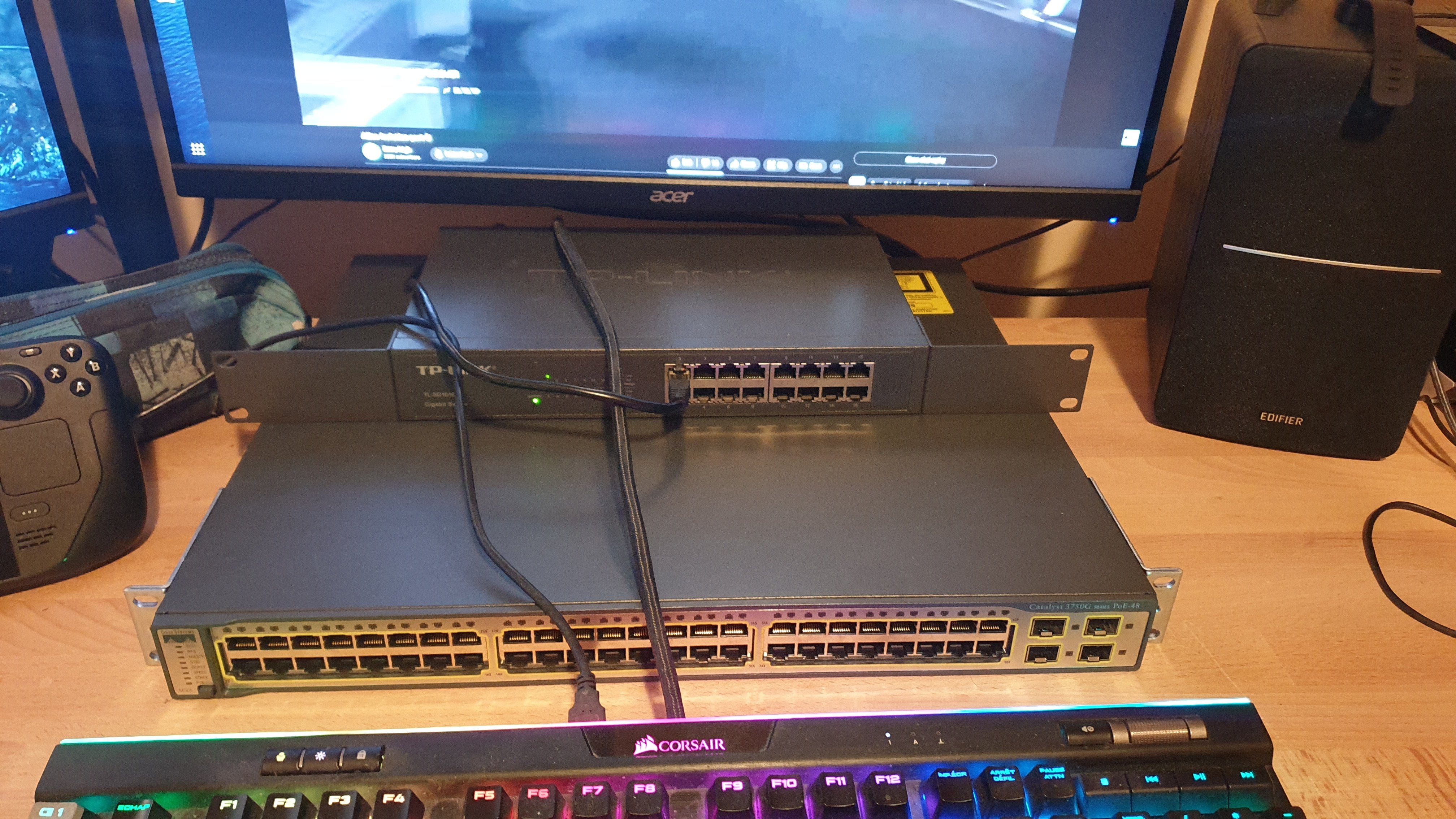
What is the difference between those 2 versions ?

I have a 3750G 48ports POE and I can install either one, but I don't understand the difference, as it seems the 15 is just a derivative of the 12 with syntax changes ? Is there something I'm missing ? Is there any feature you lose or gain by using 15 over 12 ?

I'm kinda lost with their versionning scheme here...

193


I have around 30TB of data scattared around between cloud services, external hard drives, a small plex server, etc.

I would like start a storage server to store everything, with a bit of computing power for other task (plex as mentioned).

I'm looking on ebay at the Dell Edgeserver t330 or similar, starting with 3x 18TB drives, and since it has 8 bay, I'll have plenty of space for future upgrades. It seems have also a decent cpu, so it should handle plex and some other tasks without issues.

My concerns is about noise; it is going to be put under a desk in my lab and not inside a rack, I saw some videos on youtube and it doesnt seem too noisy, but hard to tell from a video. And for power usage, it will run mostly at idle I think, so I dont think it will drink too much.

Do you think it make sense? Any suggestion?

As said, the only hard requirements are quite a bit disk spaces for future expansion (6x-8x 3.5 drive support) a decent cpu, and doesnt have to be too noisy.

I've also evaluated buying a parts a built it from scratch, using like the new intel n100 with is very powerful with low power usage, a big case and so on for a similar price.

194


I was attempting to connect 3 PC's (Personal and two servers) via the TL-SG105 un-managed network switch. Beforehand i just connected one server and the personal pc into another switch i have. But i got this switch to accommodate this new server. However it seems as soon as i plugged in and turned on the new switch all of a sudden both servers no longer are able to recognize their cables. Personal PC is running linux mint, one server(the one i had before) is also running linux mint, and another server is running ubuntu 22.04.

  • Home network consists of 1 comcast gateway (modem+router combo) with two ethernet LAN ports. One ethernet LAN port is connected to a seperate switch that functions perfectly for all other devices connected to it, the other is connected to TL-SG105.

  • Personal PC can connect to internet just fine, either threw TL-SG105, or the other switch- I have attempted to plug both servers directly into the other switch and still no link.- Both servers show via ifconfig command that their respective ethernet flags indicate UP, but not RUNNING. Usually this means cable is not recognized. confirmed via ethtool command that link status is 'NO'

  • Swapped cables between all 3 devices on TL-SG105 and confirmed all cables are operational.

  • Reset TL-SG105 multiple times during each swap of cable. And restart network manager multiple times as well as turned both servers on and off again.

Edit: I actually had to double check the switch, turns out i do have the SG105 not the SG105E. SG105E is managed, i have unmanaged.

195


I am looking to replace two Powershield 1600VA UPS that I have sitting, inaccessible, at the bottom of my 12U under-desk rack, and I am hoping that a 3000VA 2U rack mount UPS will work for me. I have a windows workstation and a Linux server each in a in 4U case that need backup power. They currently stay up for about 40 minutes on the Powershield UPS if I am not (foreground) active on them.

Now comes the part I need help with - I've looked at datasheets, installation guides, and system specifications for about 20 different UPS that meet my above wish list all of which have IEC C19 input sockets, and none of the technical documents tell me what amperage I need for the supply. My home office is limited to 10A (Australian) GPOs, so I am hoping these UPS will work with that, so I don't need to get an electrician out to run a new circuit.

Any help and or advice would be greatly appreciated. TIA

196


For the last 6 months or so I've been working on Pinepods. I have never been able to find the perfect self-hosted podcast app that I wanted to use. podgrab's player is rather lackluster and misses a lot of features that I would like.

With Pinepods you can play, download, and keep track of podcasts you enjoy. It allows for searching new podcasts using The Podcast Index or Itunes and provides a modern looking UI to browse through shows and episodes. In addition, Pinepods provides simple user managment and can be used by multiple users at once using a browser or app version. Everything is saved into a Mysql database including user settings, podcasts and episodes. It's fully self-hosted, and I provide an option to use a hosted API or you can also get one from the podcast API and use your own. There's even many different themes to choose from! Everything is fully dockerized and I provide a simple guide found below explaining how to install Pinepods on your own system. It’s also super easy to import podcasts from any app using OPML files.

There's also lots of modern features like MFA, self-service password resets, and some Podcast 2.0 functionality (more to come)

In addition to all that, I've built a client version of the app that can connect via API to your home server over something like a reverse proxy or tailscale.

Pinepods just had is on version 0.3.1 with all the basic functionality implemented. Currently, you're likely to experience issues, but I certainly invite pull requests or opening issues if you have the time. You can also get setup assistance on the discord server. I invite you to try it out!

Check out the official site here:

https://www.pinepods.online/

Github here:

https://github.com/madeofpendletonwool/PinePods

Discord Server:

https://discord.gg/bKzHRa4GNc

197


Do your chats look like this? Do you always forget which contacts use which apps? Do you wish there was a way to have all your chats in just one place?

In the following guide I'm going to show you how to use Matrix to achieve your dream of an all-in-one chat app, by using Matrix bridges and securing the connection with Cloudflare Tunnels.

198
11
submitted 2 years ago* (last edited 2 years ago) by Rora@feddit.nl to c/homelab@lemmy.ml


We're renovating a house and I'm looking to add some smart home devices in the home. This gives me a perfect excuse to renew my current home network setup. I currently have a simple setup: my ISP router + an unmanaged 16port switch with 2 Unifi AC Pro APs (feed using PoE injectors). I want to give the 2 Unifi APs to friends of mine so I'm looking at a total newal of my network.

I have a homeserver which runs 25+ containers, some for home use and some that I expose to the internet as well.

Since I'm adding smart home appliances (most z-wave but I will have to use some Wifi devices as well) to the network, I'd like to isolate these devices and give them minimal access to the internet and my own network. Since this will require me to setup VLANs I also want to setup multiple VLANs for various needs (see below).

As I'm not a network expect (I have basic knowledge) I like SDN setups. I was doubting between Unifi and Omada, after reading many posts I've got the feeling that Unifi isn't the same company it was 5 years ago, the router solutions Unifi is selling don't really seem to fit my needs (dream router/machine). The older Unifi routers feel like a better fit, however I'm worried that they will becom EoL and will no logner receive security updates. After learning that the Omada APs support PPSK without RADIUS - which allows me to use 1 SSID and have clients added to a VLAN depending on their passphrase - I decided to give Omada a chance.

I want to buy a smart doorbell (reolink), I don't plan on recording 24/7 or having any security camera's however I do worry that if I do get them I might hammer my router since the traffic streams will have to be routed between VLANs. However L3 switches are way pricier so I'd like to try with my current setup and upgrade if need be if/when the time comes.

I read that Omada routers are also not that great (I would primarily be using it to configure the routing between VLANs). And was doubting between opnsense or mikrotik, I got the impression that the Mikrotik (while harder to configure initially) is more a set and forget solution with enough capacity for my needs.

I want to buy the following hardware (fanless is a must):

  • MikroTik RB5009UG+S+IN
  • TP-Link JetStream TL-SG2016P (16 ports will be enough, I expect to require 3 PoE ports)
  • 2 * TP-Link EAP650 - I like their small form factor and PPSK

I want to configure the following vlans:

  • VLAN 10: 192.168.10.0/24 - management vlan
    • Contains: pihole, VPN server, network devices, omada controller
    • Access to: all vlans
  • VLAN 20: 192.168.20.0/24 - private services vlan
    • Contains: server containing 25+ containers and home assist server
    • Access to other vlans: 30
  • VLAN 30: 192.168.30.0/24 - shared services vlan
    • Contains: chromecasts, printers, other services I would like to expose to guests and home users
    • Access to other vlans: none
  • VLAN 40: 192.168.40.0/24 - smart home devices vlan (via wifi or wired)
    • Contains: smart home sensors/devices + home assist server
    • Will not have access to the internet
    • Would like to have client isolation if possible/feasible
    • Access to other vlans: none
  • VLAN 50: 192.168.50.0/24 - smart home devices vlan with internet access (via wifi or wired)
    • Contains: hopefully nothing, devices that require internet access to function
    • Would like to have client isolation if possible/feasible
    • Access to other vlans: none
  • VLAN 200: 192.168.200.0/24 - Home users (via wifi or wired, mac address whitelisted?)
    • Contains: home users
    • Access to other vlans: 20, 30, 210, 220
  • VLAN 210: 192.168.210.0/24 - VPN users
    • Contains: VPN users Access to other vlans: 30
  • VLAN 220: 192.168.220.0/24 - Guests users (wifi only or wired)
    • Contains: guests
    • Access to other vlans: 20, 30, 200, 210

I plan to assign 3 VLANs to my home assistant server so it can be reached by the smart home devices and it can be reached by home users, however there might be better solutions to solve this.

I'm also wondering if it would make sense to split my 25+ containers over multiple vnets (putting containers reachable from the internet in a seperate VNET).

Any feedback is greatly appreciated!

199


So right now my server (unRAID) is a PC, with a PCI SATA card installed hooked up to 6 HDD’s, 2 SSD’s and an NVME. I also have a 1070 in there for transcoding and a few other things.

I want to move to a rack mounted case, but I don’t want to buy a different form factor motherboard or PSU (cause expensive). Can anyone recommend an ATX server case? Also a rack for it to go in?

200


I have a bunch of equipment on my rack that has AC adapters as part of the cable. How do people manage those so that they're secured and out of the way?

view more: ‹ prev next ›