homelab

6589 readers
1 users here now

founded 5 years ago
MODERATORS
201
202


Currently looking for a router with the following points

  • sfp ports for fiber connection (we have fiber internet)
  • should be possible to use a wireguard on the router, since would like to use for our smart tv.
  • would like to run some small containers (pihole and maybe some network scanner)

The R3 looks pretty cool specially, since WiFi is built in and there are deals with case and antennas. I don't know of 2gb of RAM would be sufficient to run openwrt + some containers.

The New R4 will have double the RAM, but at least on first glance it looks, like a WiFi extension has to be bought. Also I guess it will me more expensive.

What do you folks think? Should I wait for the R4 or buy one of those package deals including antennas and metal?

Bonus Question: what sfp modules do you use for fiber connection?

203


I wish lemmy would allow for bigger images.

My setup:

  • VPS: Wireguard and ngnix proxy

  • Nanopi: Friendlywrt for the firewall

  • Dell precision tower 3620: proxmox with lxc containers running caddy and WordPress. I also have a VM running docker which runs some services, truenas for storage and a Linux mint VM for gaming, machine learning and jellyfin in podman. The machine has a 590 and a standard power supply. I had to cut off some of the housing in the case and on the GPU to make it fit.

  • Beelink mini PC: It also runs proxmox and has my VM endpoint for wireguard with another ngnix proxy. It also runs a VM with docker for some other services

  • Raspberry pi 3: i2p for fun

204


Hi,

I am looking for building a NAS with used hardware, mostly for media, because my current Dell 7050 only has a 500gb hdd and I am tired of running low on space constantly.

I have a few questions:

  • I am currently running containers for Jellyfin, Radarr and Sonarr, if I buy a new machine for NAS, it makes sense to migrate every media-related container to the NAS drive, correct? The Dell machine I have has a 7th gen Intel CPU, that is able to transcode H265 perfectly, which is a big bonus. So if I end up moving it, the machine I buy needs to do the same, I suppose.
  • If so, then I guess using TrueNAS is not the way to go, and instead use a simple debian or ubuntu server distro for simple sharing?
  • If TrueNAS is the answer, then I should aim for ECC ram. If that's the case, I am not aware of cheap/budget workstations that have ECC ram, but if you have recommendations for one, great;
  • If you think I should instead buy something with an i3/i5/i7 or Ryzen processor, what kind of machines would you recommend?
  • I was looking to find something for around 150/200€, excluding hard drives. Not sure if that is possible.

Thank you.

205


Just cleaned out mt garage, closet, and attic. No clue why I kept every single box of anything electronic/tech based in the last ten years. I just tossed boxes for phones I haven't had in years, old CPU and heat sync boxes, boxes for 100mbps nics, old modems I don't have anymore. I've never needed any of these and have brought them with me through too many house moves.

206
7
submitted 2 years ago* (last edited 2 years ago) by BaronVonBourbon@lemmy.world to c/homelab@lemmy.ml


I accidentally cooked my current Opnsense router last night trying to shoehorn an M.2 2.5g nic into it. So I'm looking for recommendations for something new.

The now dead machine is an i5 Lenovo M920q with a Connect-x3 10g card and a USB3 2.5g nic.

I have 2 gig fiber service that's handed off on an RJ45 2.5g port. So I feel like that really limits my options.

207


For the last 6 months or so I’ve been working on Pinepods. I have never been able to find the perfect self-hosted podcast app that I wanted to use. podgrab’s player is rather lackluster and misses a lot of features that I would like.

With Pinepods you can play, download, and keep track of podcasts you enjoy. It allows for searching new podcasts using The Podcast Index or Itunes and provides a modern looking UI to browse through shows and episodes. In addition, Pinepods provides simple user managment and can be used by multiple users at once using a browser or app version. Everything is saved into a Mysql database including user settings, podcasts and episodes. It’s fully self-hosted, and I provide an option to use a hosted API or you can also get one from the podcast API and use your own. There’s even many different themes to choose from! Everything is fully dockerized and I provide a simple guide found below explaining how to install Pinepods on your own system.

There’s also lots of modern features like MFA, self-service password resets, and some Podcast 2.0 functionality (more to come)

In addition to all that, I’ve built a client version of the app that can connect via API to your home server over something like a reverse proxy or tailscale.

Pinepods is currently a couple beta releases in with all the basic functionality implemented. Currently, you’re likely to experience issues, but I certainly invite pull requests or opening issues if you have the time. Even assistance with debugging/creating documentation would be unbelievably helpful. You can also get setup assistance on the discord server. I invite you to try it out!

Check out the official site here:

https://www.pinepods.online/

Github here:

https://github.com/madeofpendletonwool/PinePods

Discord server:

https://discord.gg/kCHuH6UH

208


I just recently moved a bunch of my services to docker compose and it is a breeze to setup. All you need is a config file and your squared away. No more dealing with lxc or manually configuring software. Just write a config and your done.

209


I'm looking for security cameras that will integrate with my home server and nas. I want ones that record to my nas without some BS subscription service, and ideally run FOSS server logic I can deploy on my server. I've got one camera now that sorta does what I want, except the software isn't FOSS and I've been unable to add the features that are missing.

My ideal requirements are:

  • Good camera quality
  • Direct powered (no battery)
  • Connects via wifi to my network
  • Records to remote nas (no cloud "subscription" requirement)
  • Highly configurable via FOSS software
  • Monitoring software runs on server with local web access
  • QOL features like 2-way audio, audio recording, motion sensing, night vision, etc.

Does anyone have suggestions that meat what I'm looking for or close?

210


As far as I know, the only main reason to have a high clock speed CPU in a server is for game servers, at least for me. (And also for a router, but that doesont really apply here).

My basic question is this:

  • Xeon 2690 v2
    • 10 cores, 3Ghz Base, 3.6 Boost
  • 2667 v2
    • 8 Cores, 3.3Ghz Base, 4 Boost
  • 2643 v2
    • 6 Cores, 3.5Ghz Base, 3.8 Boost

Which should I get? All 3 have a 130W tdp.

For background this is for a new server I want to build alongside two I already have, which are in a proxmox cluster. This new one will join them.

One of the servers has Dual 2670 v2s and the other has a single 1230 v2.

A 2670 only has a 2.5 base and 2.2 boost, which is why im wondering if having another server with less cores but a higher clock speed would be beneficial for certain tasks.

Currently I run things like plex, nextcloud, homeassisstant etc, and game servers.

211


After a few conversations with people on Lemmy and other places it became clear to me that most aren't aware of what it can do and how much more robust it is compared to the usual "jankiness" we're used to. In this article I highlight less known features and give out a few practice examples on how to leverage Systemd to remove tons of redundant packages and processes.

Especially for homelab owners:

Have you ever felt like there might be something wrong with your current approach to installing and managing your services? Have you figured out how massively bloated systems are becoming with Docker and tons of little "helpers" that at the end of the day have dependency issues, are hard to understand and modify? Maybe you just want to squeeze a few extra miles out of a memory-tight system such as a Raspberry Pi. Deep learning Systemd will give you an edge and a better understanding about how your systems work and improve your workflows.

And yes, Systemd does containers. :)

212


I've got both Heimdall and Pi-Hole running in docker. They both work fine, but I'd like to get the Pi-Hole advanced statistics in Heimdall. The others, I just put on the bridge network, but I'm not sure I can have the Pi-Hole on bridge and the macvlan network. Is that possible, or is there a better way to accomplish this?

213


Let me know your hits to choose an UPS for a (small) homelab.

Your hints are appreciated.

214
16
submitted 2 years ago* (last edited 2 years ago) by SK4nda1@lemmy.ml to c/homelab@lemmy.ml


Edit: new cable fixed it. The otherone wasnt crossover.

I have a problem.

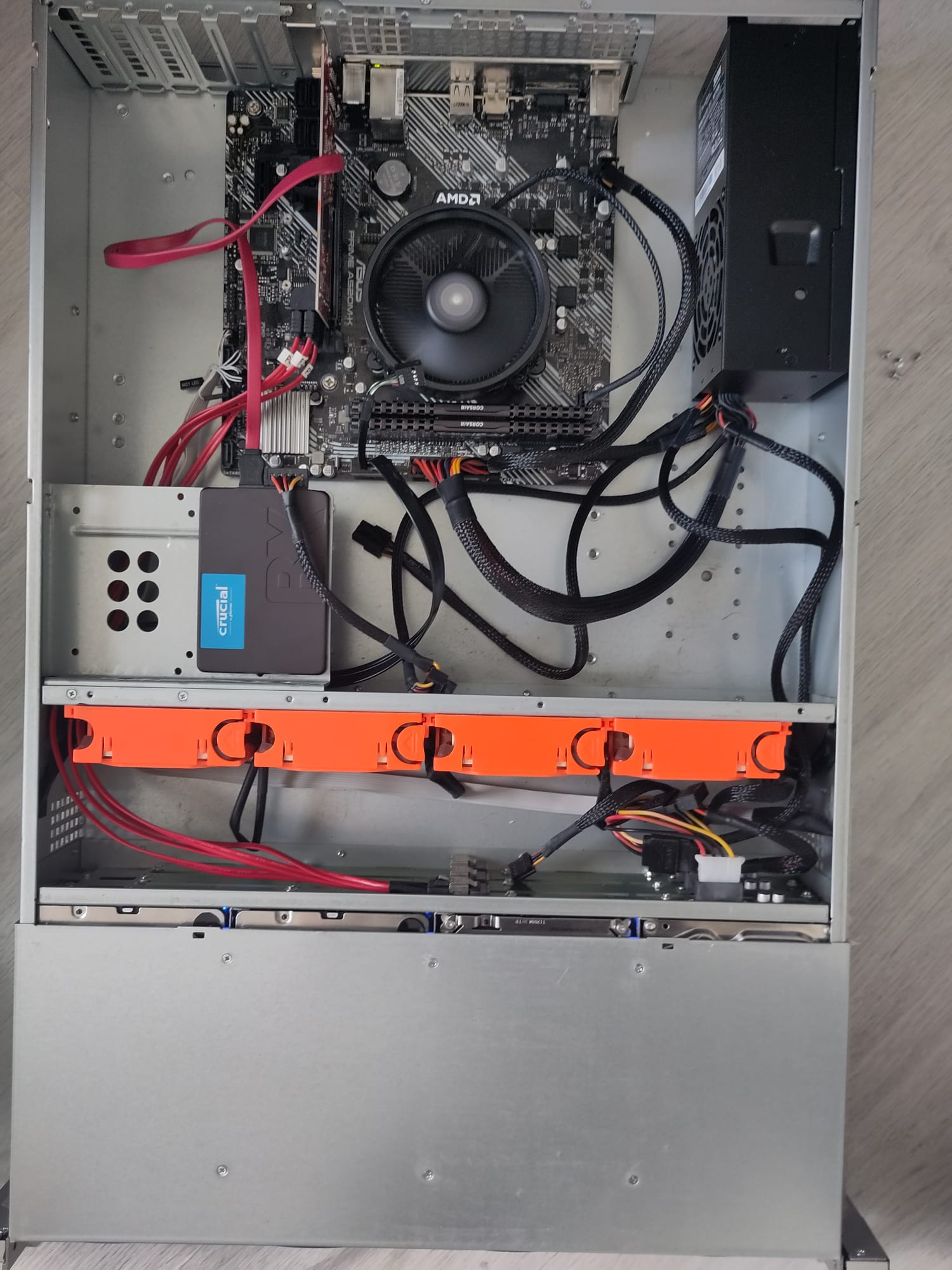
I have an (Intertech 2U 2412)[https://www.inter-tech.de/productdetails-144/2U-2412_EN.html]. I have some old desktop hardware in it to build a SAN. The OS I'm running is currently Proxmox 7.

Now I have the problem i'm having is that the drives I put in the hotswap bay are not showing up in the OS. The lights on the bays light up, I can hear the disks spinning so they seem to have power.

The connection splits from SAS to 4 times SATA to a PCIE expansion card. This card is confirmed to work: If I put my bootdrive in it, the pc boots normally and the bootdrive shows up in the OS. The splitter cable could be the problem, granted, but the manual of the case specified this type of cable and I triple checked that this is correct.

When I look in /var/log I see kern.log files with loads of these messages in them. This is where things get murky for me. In my linux journey I haven't yet been this deep into the OS/kernel before. Can anyone help me debug what is happening in my system? Or at least help me understand what is happening in these logs?

[1378464.033553] ata14.00: status: { DRDY }
[1378464.033555] ata14.00: failed command: WRITE FPDMA QUEUED
[1378464.033556] ata14.00: cmd 61/08:a8:b0:ed:a0/00:00:0e:00:00/40 tag 21 ncq dma 4096 out
[1378464.033556]          res 40/00:01:06:4f:c2/00:00:00:00:00/00 Emask 0x4 (timeout)

EDIT: New cable fixed it! Turns out the other one wasnt crossover.
215
2
submitted 2 years ago* (last edited 2 years ago) by Faalangst_26@feddit.nl to c/homelab@lemmy.ml


Hi all, first time posting for tech support on lemmy!

I've recently switched ISPs to now have a gigabit connection at my home, but we've been experiencing some weird issues with it. When i run a speedtest, I get my full gigabit (or close enough) speeds and most of the time it works perfectly. But ever so often, it just completly drops all packets. When downloading a file for example it can randomly drop the speed to 0 b/sec and you have to restart the download in order to get it working again. Same with website loading, when it happens when loading a website, just half of the website gets loaded and I am missing images/styling/etc.

Now I run my own EdgeRouter X behind my ISP provided router. I have a nagging feeling this could be causing my issues, but with my previous ISP I was running the same setup and it worked flawlessly (albeit with a different ISP provided router).

Have any of you experienced something like this before?

Edit: thanks for all the quick responses everyone! I will look into your suggestions and update the post if/when I've found my solution.

Edit 2: Fixed the problem. As always, when in doubt, it's the DNS. My ISP router did not come with any DNS settings preset. I set it to the same DNS as my EdgeRouter and my problems went away. I hope this helps some of you facing the same issue. Thanks for your responses!

216
3
submitted 2 years ago* (last edited 2 years ago) by rhymepurple@lemmy.ml to c/homelab@lemmy.ml


I'm trying to find a video that demonstrated automated container image updates for Kubernetes, similar to Watchtower for Docker. I believe the video was by @geerlingguy@mastodon.social but I can't seem to find it. The closest functionality that I can find to what I recall from the video is k8s-digester. Some key features that were discussed include:

  • Automatically update tagged version number (eg - Image:v1.1.0 -> Image:v1.2.0)
  • Automatically update image based on tagged image's digest for tags like "latest" or "stable"
  • Track container updates through modified configuration files
    • Ability to manage deploying updates through Git workflows to prevent unwanted updates
  • Minimal (if any) downtime
  • This may not have been in the video, but I believe it also discussed managing backups and rollback functionality as part of the upgrade process

While this tool may be used in a CI/CD pipeline, its not limited exclusively to Git repositories as it could be used to monitor container registries from various people or organizations. The tool/process may have also incorporated Ansible.

If you don't know which video I'm referring to, do you have any suggestions on how to achieve this functionality?

EDIT: For anyone stumbling on this thread, the video was Meet Renovate - Your Update Automation Bot for Kubernetes and More! by @technotim@mastodon.social, which discusses the Kubernetes tool Renovate.

217


cross-posted from: https://programming.dev/post/1429257

It has an 'App store' that's been growing a lot lately. Writing new docker-compose.yaml files is easy (see: https://www.runtipi.io/docs/contributing/adding-a-new-app ), and exposing them behind NAT, e.g. from home it's easy too (see: https://www.runtipi.io/docs/guides/expose-apps-with-cloudflare-tunnels )... But my favorite perk is the folder structure (see: https://www.runtipi.io/docs/reference/folder-structure ), and the fact that 'media' is shared between apps.

218


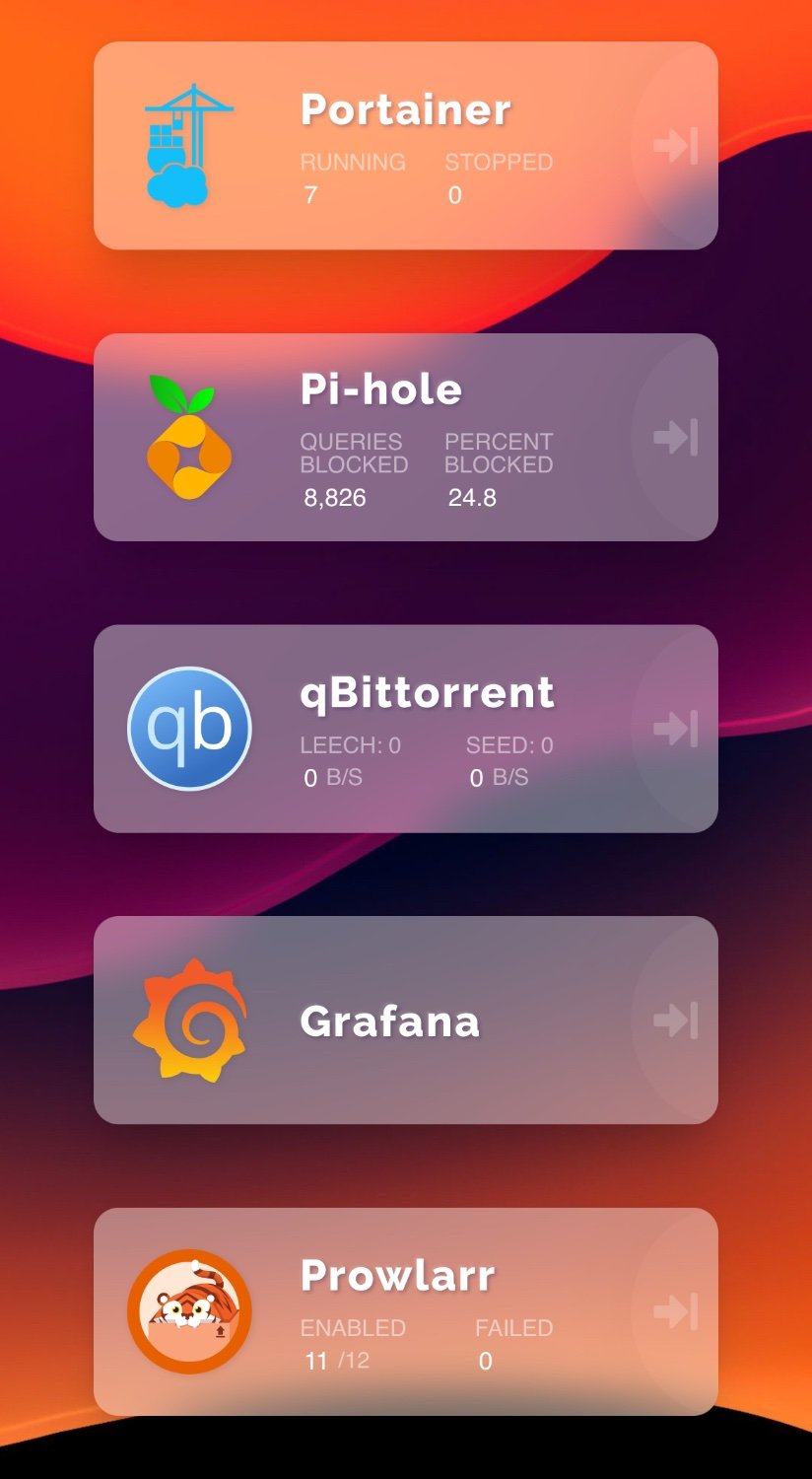
I previously (and sort of still do) ran my homelab on a Raspberry Pi 4B with 4GB of RAM. That lab still exists but I recently picked up an Orange Pi 5B with 8GB of RAM and have been building out my services from scratch.

This time I thought I would do it properly with a reverse proxy through Caddy and email notifications, neither of which I made use of before.

It’s improved my experience so much! Being able to access my services from beyond my network without necessarily having to be connected to my VPN is great. My goal is to spin up my own Mastodon and Lemmy instances but it’s sort of a bit daunting to work out hosting them inside of Docker like the rest of my services. If anyone has any good guides or suggestions I would be interested.

Also looking for suggestions on ways to add some mass storage to this setup, I previously used a Drobo 5N2 but a quick google will tell you the way that company went.
219


I recently obtained a Dell t620 that I've rack mounted, and I'm using to upgradey homelab. I'm also thinking I should upgrade my routernsince I'm having to reconfigure a lot with the new server(I have a 12 year old Netgear wireless router).

Any recommendations for a rack mounted router?

220


It's been a while since I've played any games online with my Nintendo switch, and I quickly remembered the issues with NAT types on the Switch.

When I checked, I had a NAT type of F, which will not allow online gaming. I found the guides on setting up the Hybrid NAT rules in Pfsense, but my type was still F. I then loosened up my outgoing port rules for that VLAN, and got a NAT type of B.

After tightening them back up a bit and looking online, it looks like the UDP range 1024 through 65535 is expected for outgoing UDP traffic. Is that right? That is a ton of ports, and possibly no better than just enabling uPnP.

Do I really need such a wide range to be able to maintain this NAT type B?

221


Recently, Comcast did some "upgrades" which caused Pfsense to be unable to ping their gateway. Because of this, my gateway is showing that it is down all the time now, as it is not replying to ICMP requests.

I saw that as a work around to this, you can add a different IP address as the "Monitor IP" which will be pinged and give you an idea of whether or not your interface has a good connection. I chose to use Cloudflare (1.1.1.1) and my interface is showing available again as expected.

My question is regarding this bit of language in the documentation. I know this probably isn't the case, but I just want to be sure that all of my network traffic is not going through this new IP (I don't think that would be possible as this IP likely only listens to port 53 anyways).

My goal is just to use this IP as a canary of sorts to tell me if I have WAN access, I do not want any traffic actually going through it other than ICMP requests bouncing off of it.

Sorry for the noob question.

222


Well, that didn’t take very long at all! As with almost everything, the cloud seems appealing, and then slowly increased in price while the service gets reduced

223


I currently pay 70$ a month for residential 50/50 Ziply fiber internet in Oregon. On the ziply website it says it would be 50$ a month for 100/100 small business fiber. Would that let me get a static IP, port 25 unblocked and reverse dns? Are there any strings attached as it seems strange for small business internet to be cheaper than residential?

224


Basically, I'm building a home and getting it wired with Ethernet cabling. I didn't want to get too much into the technical details, so I just provided the builders with locations where I want RJ45 ports, along with one spot where I just said "24-port patch panel" (the number of ports located elsewhere being 22.

I did some Googling and figured the patch panel should cost at most $150 in hardware costs (I found plenty of sub-$100 options, but a couple of more expensive ones and would not have been . I didn't mention anything about needing a rack because I thought it would be something that could just go directly in the wall. (And then I could buy a switch and use it to connect pretty much all the ports from the patch panel to the router.)

The builder came back to me with an estimated cost of:

  • $465 for a server cabinet: SEVCBN -6RU – 66WM
  • $567 for a patch panel: NCO760242563
  • $148 install charge

They gave me specific model numbers for the patch panel and server cabinet, but I can't find information about whether that's the actual cost of them, because the costs are locked behind having an account with the B2B retailers.

Does their proposed patch panel costing about 4x what I was expecting actually seem likely to give any value? Is there are explanation for that cost?

Secondary question: is having a wall-mounted cabinet worthwhile? How will it work in terms of installing a switch and connecting from the patch panel to the switch?

Thanks!

225


It scratches the surface of the most obvious stuff. I'd only add running apps in isolation (docker or adduser) and maybe fail2ban.

view more: ‹ prev next ›