infinitevalence

joined 2 years ago
MODERATOR OF

Same I had to give up watching unless I go to a game.

[–] infinitevalence@discuss.online 147 points 2 weeks ago (15 children)

FFS I can watch you clear a firearm and the first thing I will do is clear it when handed to me or I pick it up at the range.

Always assume it's loaded. It's not hard.

[–] infinitevalence@discuss.online 3 points 2 weeks ago (1 children)

And here I am laughing and crying at the same time.

[–] infinitevalence@discuss.online 1 points 2 weeks ago (1 children)

I mean, he followed it up by standing by his "accidental" slam when Linus explained the reference.

[–] infinitevalence@discuss.online 13 points 2 weeks ago* (last edited 2 weeks ago) (1 children)

thanks I was not yet pissed at society today.

Did he do a ticktock again?

[–] infinitevalence@discuss.online 2 points 2 weeks ago (1 children)

Hey, sorry for the delay, I am glad to hear that @curbstickle@anarchist.nexus had Wireless Workbench running on wine because Proprietary software like that will be the biggest hangup.

For Qlab, how are you using it?

As for limitations, the biggest one will be stuff that is "industry standard" but was only ever developed for Mac & windows. Most stuff should run fine under wine or have an OSS/FOSS alternative worth using but specific tools that are by the MFG could be a problem.

https://flathub.org/en/apps/org.linuxshowplayer.LinuxShowPlayer Linux Show Player may be a good option to replace Qlab, but I have not used it personally.

If these systems are going to be deployed and used by other techs its not a bad idea to look at an immutable distro like Bazzite might be a good fit.

https://bazzite.gg/

One aspect of Linux that is different from windows is you get to select your desktop environment, IE window, menu, default applications, ect. The two big ones are KDE (a highly customizable windows like interface) and Gnome ( a more Mac like interface but still customizable). There are dozens of other window managers but I would focus on those two since they will be good starting points.

Ooo rocm support!

Hope he is doing better because that guy is awesome.

O i know that's the joke.

But we need books for our book burning events! How else would we get them.


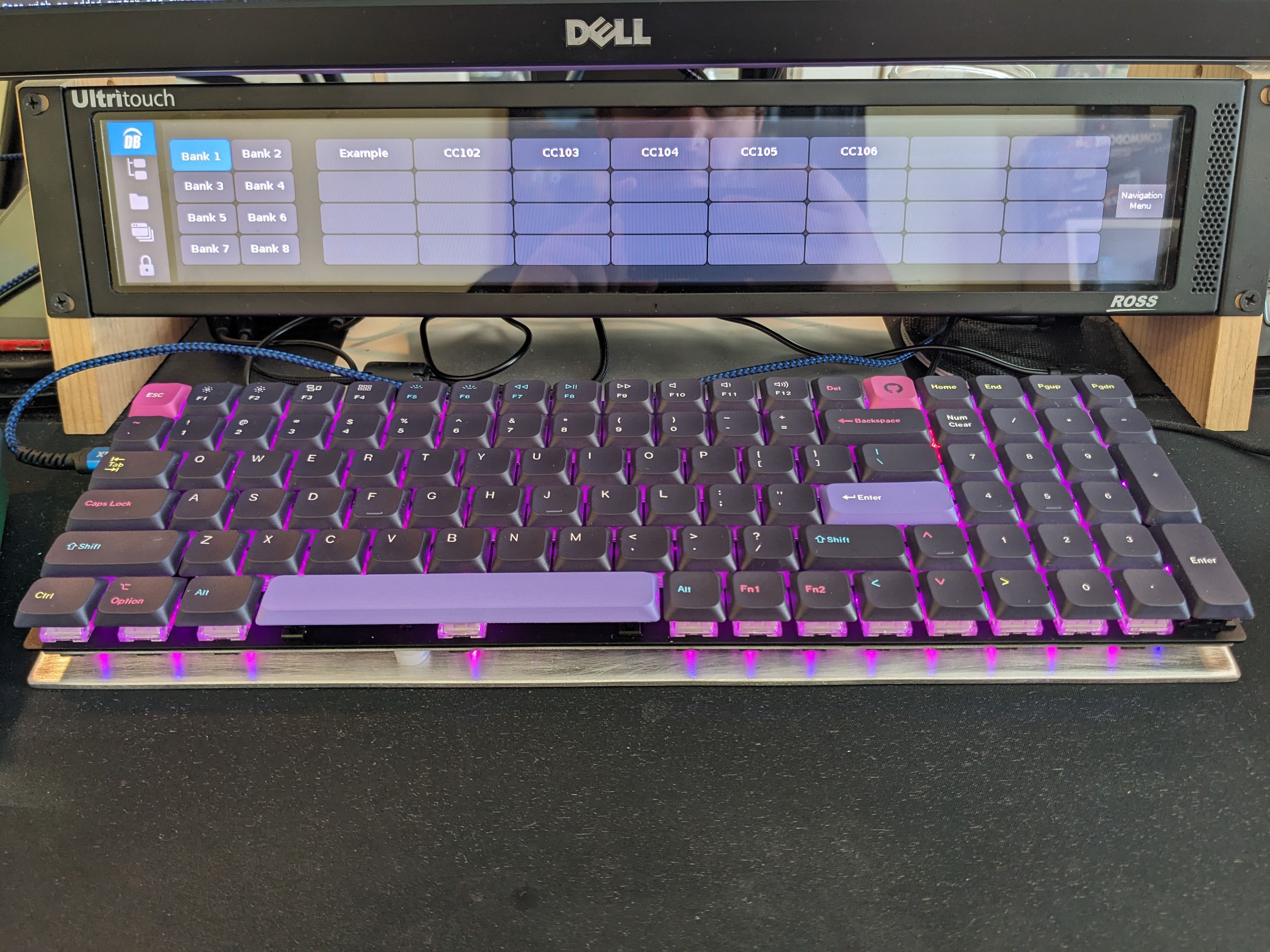
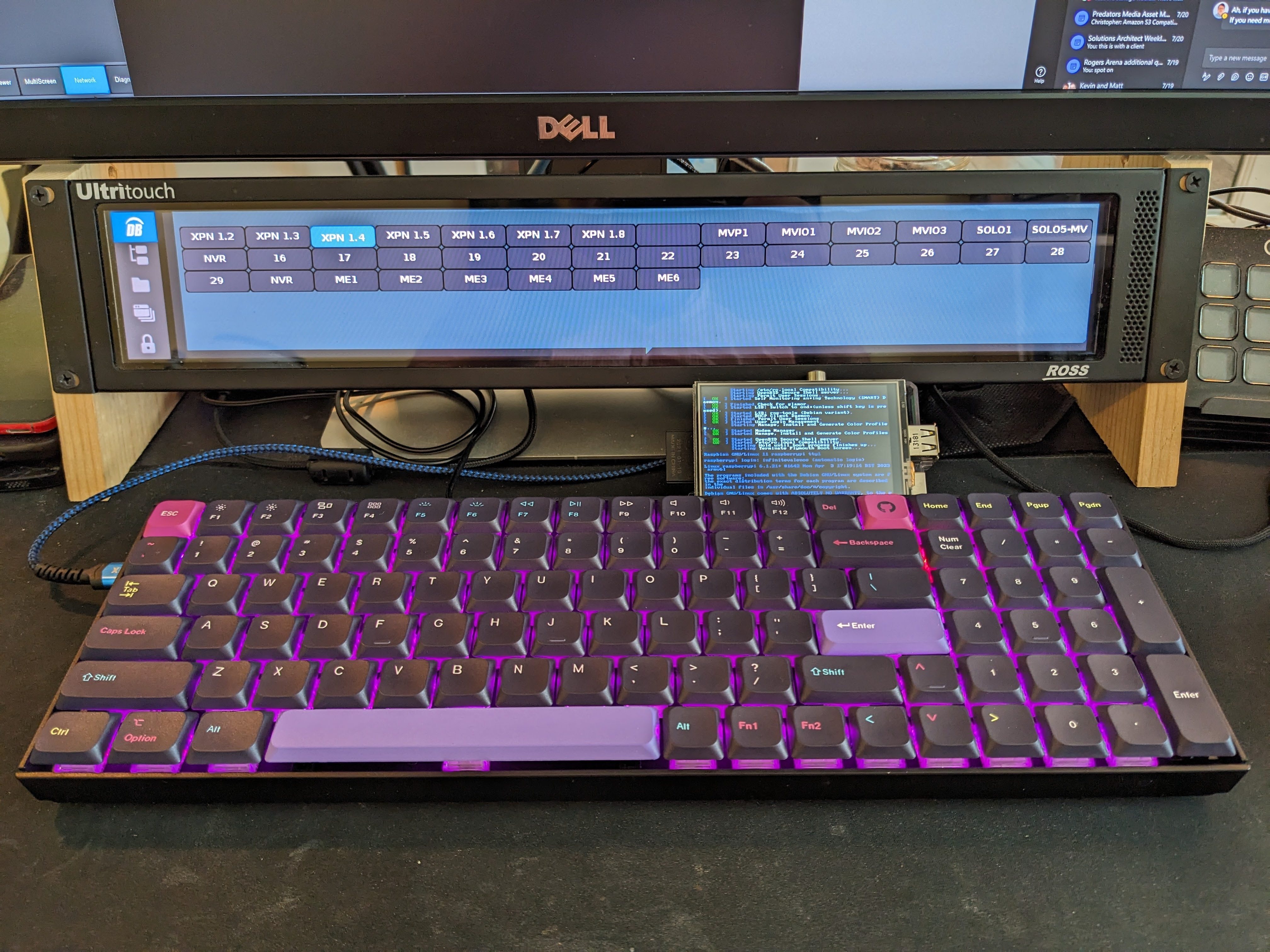
The only real complaint I have had for my Keychron K4 has been the plastic case, so yesterday I decided NO MORE!

I took some aluminim stock plate I had left over from another unrelated project and trimmed it down, tapped and countersunk mounting holes, and give it a hand brushed look with some 80 grit sand paper.

So far it feels solid, and I love the diffuse reflections from the key illumination. Combining the open sandwich plate with low profile caps gives it a really cool "exploded" or raw look.

I also added some silicone rubber to some of the larger keys to tone the "ping" down and give them a heftier feel and sound.

I dont love the stock stabilizers that come with this board so they may be the next update. Switches and Firmware are already all custom.
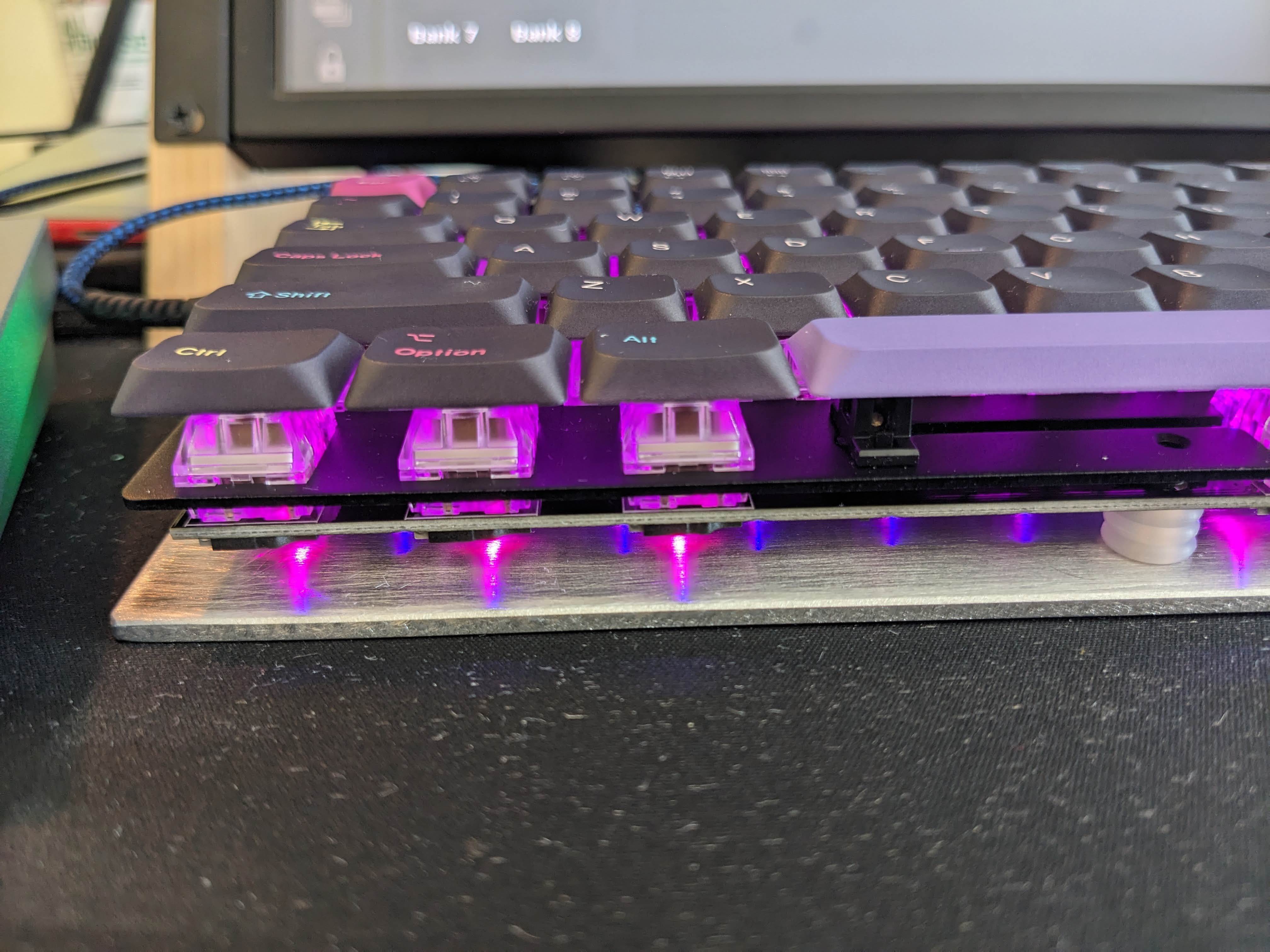
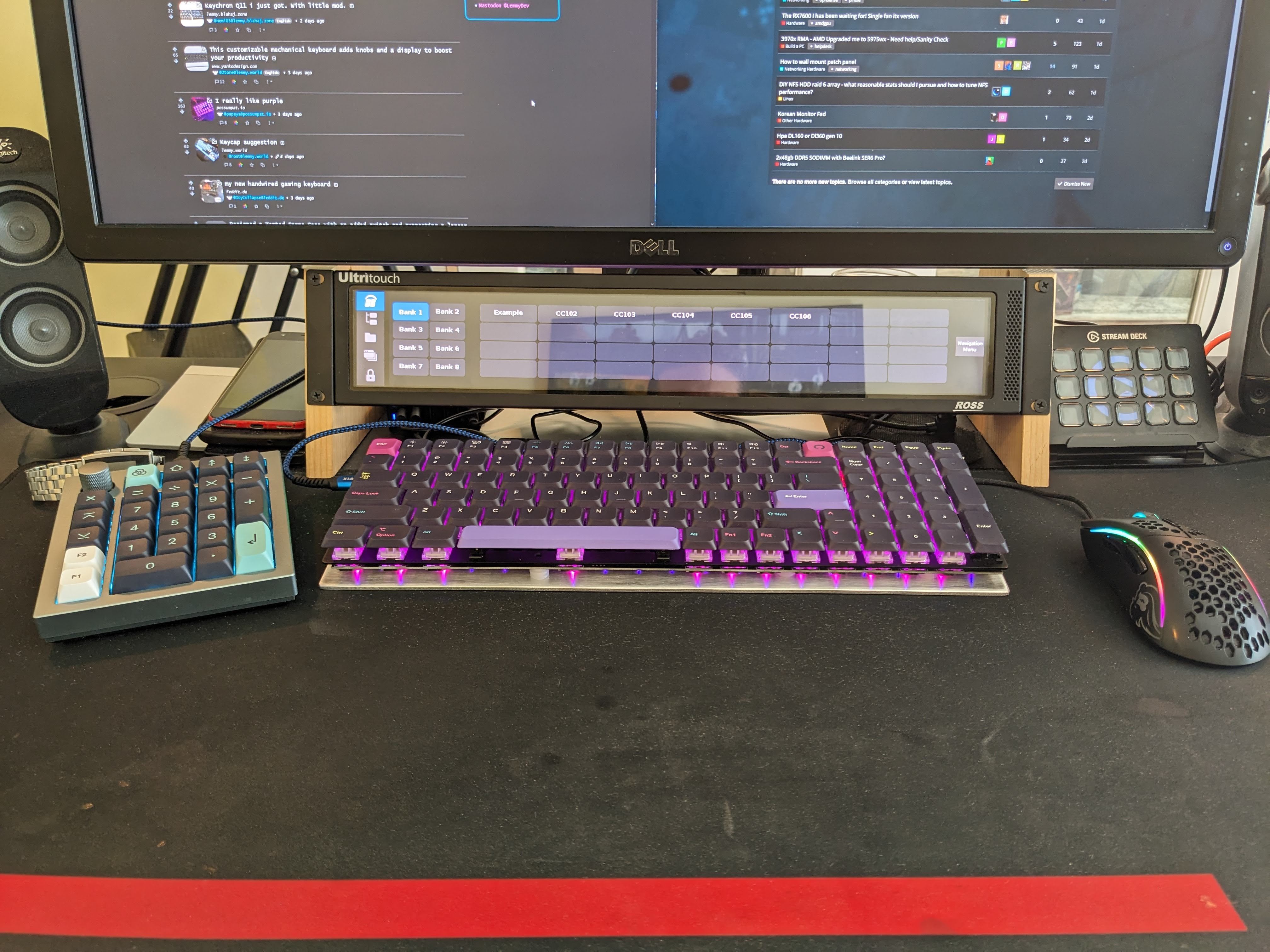
 

Keychron K4v2, put some LSA Keychron Developer caps on it. Required a little modification to shave down the stabs but I like the look, now I just need to fix the sound since the reduced mass of the cap leaves some snap back ping on larger keys.


Thanks ADHD I really needed to go down the rabbit hole for a single actor and pull all the threads. I'm sure it won't have consequences.


cross-posted from: https://discuss.online/post/45198

A while back after it was announced I purchased the Q0 to test its use as a macro pad. As part of that I figured why not do some pictures and write a little review.

The Good:

  • Quality packaging means it wont be damaged in shipping
  • The included C to C cable is great, and a good length
  • The included A to C adapter is useful to have!
  • The Foam between the plate and PCB is good quality
  • QMK/VIA support is essential and works well
  • ALU is good quality and well machined
  • lots of little quality details, like rubber pads between the base and top of the case to keep it from rattling or shifting around.
  • USBC port is on a daughter board that is replaceable separate from the main PCB.
  • Screw in stabs

The Meh:

  • The encoder is soldered not socketed so you cant swap it with something else or replace it.
  • The encoder feels like garbage to me, it has "scratchy drag" and a the tactile feedback extreme and each step feels like its locking into position.
  • The screws holding the case together require an Alan key, while on the inside the USBC port is screwed to the case using Phillips.... Why why are there two different types of screws!
  • PCB and Plate are screwed using Phillips as well.
  • Masonite (maybe) paper is glued to the bottom of the PCB to prevent shorts, but is a PITA to separate.

The WTF:

  • listing says it has case foam on the bottom, mine does not.
  • gasket is way to soft for me, i would have preferred a much stiffer foam, so I will have to replace this.

Overall, its nice, if you dont have a num-pad and are looking for a very high end, high quality one with extra macro tools this is a great fit. If you like stiff springs/switches you probably wont like the Gasket.

Build: 8/10 Feel: 4/10 Features: 8/10 Value: 6 /10


A while back after it was announced I purchased the Q0 to test its use as a macro pad. As part of that I figured why not do some pictures and write a little review.

The Good:

  • Quality packaging means it wont be damaged in shipping
  • The included C to C cable is great, and a good length
  • The included A to C adapter is useful to have!
  • The Foam between the plate and PCB is good quality
  • QMK/VIA support is essential and works well
  • ALU is good quality and well machined
  • lots of little quality details, like rubber pads between the base and top of the case to keep it from rattling or shifting around.
  • USBC port is on a daughter board that is replaceable separate from the main PCB.
  • Screw in stabs

The Meh:

  • The encoder is soldered not socketed so you cant swap it with something else or replace it.
  • The encoder feels like garbage to me, it has "scratchy drag" and a the tactile feedback extreme and each step feels like its locking into position.
  • The screws holding the case together require an Alan key, while on the inside the USBC port is screwed to the case using Phillips.... Why why are there two different types of screws!
  • PCB and Plate are screwed using Phillips as well.
  • Masonite (maybe) paper is glued to the bottom of the PCB to prevent shorts, but is a PITA to separate.

The WTF:

  • listing says it has case foam on the bottom, mine does not.
  • gasket is way to soft for me, i would have preferred a much stiffer foam, so I will have to replace this.

Overall, its nice, if you dont have a num-pad and are looking for a very high end, high quality one with extra macro tools this is a great fit. If you like stiff springs/switches you probably wont like the Gasket.

Build: 8/10 Feel: 4/10 Features: 8/10 Value: 6 /10


If you have an older K series Keychron keyboard that includes a Sonix MCU you can flash to a custom firmware that supports QMK/VIA so you dont have to use the garbage stock software.


I really want to setup an instance at home I know the MI25 can be hacked into doing this well but I would love to know what other people are running and see if I can find a good starter kit.

THX ~inf

view more: ‹ prev next ›