GIMP

485 readers
16 users here now

All about the GNU Image Manipulation Program • Please tag your help-me posts with [Help]. • YouTube Channel spamming will not be tolerated. • Blogspam will not be tolerated.

founded 2 years ago
MODERATORS
1


Years back, I would make memes using a particular handwritten-looking font.

Example image with the font in question

While I do not have the font installed on my computer anymore, I do still have my GIMP project files. But when I open the file, I cannot tell what that font is. If I try to edit the text, its font changes to the default font. Is there a way that I can perhaps extract the font data from the *.xcf file or something? Really, all I need here is simply the name of this font.

I have tried using What the Font to identify it, but nothing looks exact. I had almost certainly originally downloaded the font file from DaFont, on either the Handwritten or Cartoon category, but I am not seeing a match on the first fifteen pages.

2
3


Just came across this new 3.0 plugin from Chuck Henrich, who is on a roll making awesome stuff.

More useful than you might think

4


I was going to write a bug report for this on the official bug tracker, but their system is so fucking terrible I literally can't sign up despite them having two entire separate pages for creating accounts. One just silently fails, and the other accuses me of being malicious or using a VPN. So I guess they don't really want people contributing.

Here's what my image looks like in GIMP:

And here it is, after exporting as a JPG:

With these settings:

5
8
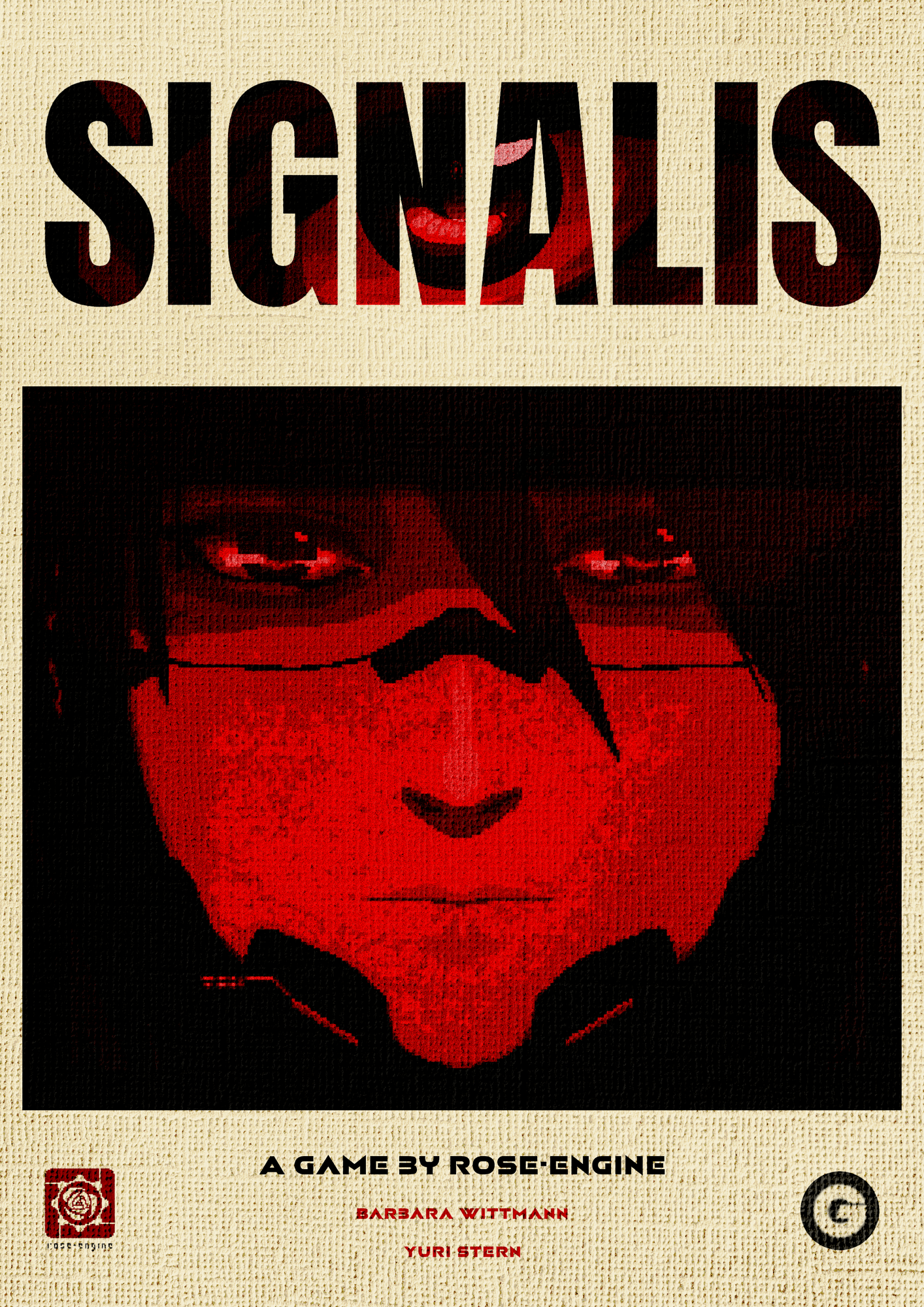
Play Signalis! [OC] (media.piefed.social)
submitted 2 weeks ago* (last edited 2 weeks ago) by Lay@piefed.social to c/gimp@lemmy.world


And replay it if you have.

6
8
submitted 3 weeks ago* (last edited 3 weeks ago) by oeuf@slrpnk.net to c/gimp@lemmy.world


Just been checking out 3.2 RC1 and the implementation of discrete 'effects only' layers. This is something I've been banging on about since the 3.0 release and I'm really happy to see it! Now, a filter (or set of filters) can be on its own layer and have its own mask and affect all layers below it.

To do it you need to create a new layer group without any layers in it and set the layer mode to 'Pass through'.

This is going to be awesome for my workflow. One thing I'm going to do is to set up a project with my most used filters and presets as preconfigured layers and then basically just paste them onto new projects :)

7
8


I'm enjoying the vintage Arabic aesthetic, I feel like I should do more of these stuff.

The title says: Fly up with the music, Yoko Kanno

Bottom text is about her most famous Anime compositions, Cowboy bebop, Ghost in the shell, Wolf's rain, Brain powerd. / Feat. Origa, Maaya Sakamoto.

9


cross-posted from: https://piefed.social/c/digitalart/p/1395115/made-this-halo-odst-poster-on-gimp-while-i-was-bored

Hope this community is the appropriate place to post this.

10
11


Buongiorno a tutti, Ho installato GIMP 3.0.6 su Ubuntu 22.04.5 LTS. Il programma funziona perfettamente. Ho scaricato il file gmic_3.6.3_gimp3.0_ubuntu25-04_plucky_amd64.zip dal sito G'MIC - GREYC's Magic for Image Computing: A Full-Featured Open-Source Framework for Image Processing - Download . Ho estratto il file zip e copiato la cartella “gmic_gimp_qt” nella directory: /home/paolo/.config/GIMP/3.0/plug-ins. La cartela gmic_gimp_qt contiene due file: gmic_gimp_qt (eseguibile) e README.txt.

Quando avvio GIMP non vedo i filtri GMIC

Aggiornamento 001: Avviano gimp da riga di comando ricevo questi messaggio di errore:

user@lubuntu:~$ gimp set device ‘bcm5974’ to mode: disabled set device ‘Virtual core XTEST pointer’ to mode: disabled /home/paolo/.config/GIMP/3.0/plug-ins/gmic_gimp_qt/gmic_gimp_qt: /lib/x86_64-linux-gnu/libstdc++.so.6: version GLIBCXX_3.4.32' not found (required by /home/paolo/.config/GIMP/3.0/plug-ins/gmic_gimp_qt/gmic_gimp_qt) /home/paolo/.config/GIMP/3.0/plug-ins/gmic_gimp_qt/gmic_gimp_qt: /lib/x86_64-linux-gnu/libstdc++.so.6: version CXXABI_1.3.15’ not found (required by /home/paolo/.config/GIMP/3.0/plug-ins/gmic_gimp_qt/gmic_gimp_qt) /home/paolo/.config/GIMP/3.0/plug-ins/gmic_gimp_qt/gmic_gimp_qt: /lib/x86_64-linux-gnu/libc.so.6: version `GLIBC_2.38’ not found (required by /home/paolo/.config/GIMP/3.0/plug-ins/gmic_gimp_qt/gmic_gimp_qt) gimp: LibGimpBase-WARNING: gimp: gimp_wire_read(): unexpected EOF

Da quello che ho capito vengono richieste delle librerie che sono presenti solamente su ubuntu.25, che sono le seguenti:

GLIBCXX_3.4.32 → disponibile solo con GCC 13+

CXXABI_1.3.15 → parte di libstdc++ aggiornata

GLIBC_2.38 → disponibile solo su Ubuntu 24.10+

Mentre su lubuntu 22 ho:

GLIBC_2.35

libstdc++ da GCC 11 o 12

12


I want to blend three separate images together (as in the arrangement image) Where the sides of the images that touch meld into the other. Like Image 1 will have an element that seamlessly blends into an element of image 3 and the same with image 2

[edit] I should also add that I want the theme/scene of each image to remain intact. The images themes that I am using is; (image1) Two potion vials sitting on a rock during sunrise. (image 2) A hand on a large magical stone. (image 3 a scene of a medieval village

13
14
6
GIMP 3 Plugins (slrpnk.net)
submitted 2 months ago* (last edited 2 months ago) by oeuf@slrpnk.net to c/gimp@lemmy.world


I'm keen to avail myself of all the best available plugins! What are the most useful or effective ones you've found so far for GIMP 3?

Mine are:

  • Batcher: For automatically processing images, in batches or singly. You can add almost any action to the processing chain, including your saved adjustment presets and G'MIC-Qt commands. Epic plugin and has become indispensible to my workflow.

  • Frequency Separation: Super simple, easy and smooth setting up of a frequency separation group.

  • Resynthesizer: For 'texture synthesis' or 'healing'. Tip: make sure your selection does not have feathered edges when uses the Heal Selection filter. On linux is currently only available when GIMP is installed as a flatpak afaik, unless you can build from source.

15


automatically selecting an object should be technically not very hard.

It selects objects by sharpness, color, contrast etc.

I have never seen a working tool in GIMP that can do that well. I have autoselected stuff by color always, and I know the "magic wand" tool (but have not used it much).

Is there a plugin, or can I tweak an existing tool so that it works like that?

I also need a tool to select a border and everything within that. Also didnt find a way to do that yet

16
17
18
32
submitted 4 months ago* (last edited 4 months ago) by magpie@mander.xyz to c/gimp@lemmy.world


Edit: this is not gimp related at all but probably just the issue of my screen calibration. I'll pluck away at it until its right, thanks for all the help.

Edit 2: installing an ICC profile has made a significant difference and the mushroom are a bit over saturated but not exactly glowing anymore.

I know both of these photos are oversaturated, I am working on a laptop with a pretty shit screen so all of my photos look awful. I am trying to fix it but I'd like to fix this first.

Gimp 3.0.4 This is the exact same file, the left is displayed on gimp and the right is the saved .jpg in the linux mint photo viewer. The right side photo is so much more saturated than the left. The mushrooms look like they're glowing. Boxes ticked on save: progressive (in options), optimized (advance options) save colour profile (in metadata) - I have saved without colour profile and same effect.

This seems to be an issue with GIMP but I don't use any other editing software on my laptop so who knows. When I post these photos online the effect is the same as on the right. When viewing online, sometimes the photo will be normal but when you click through to the full image it loads as oversaturated. I'm sure there is something so simple I am overlooking but I just can't think of what.

Please let me know if you need more info!

19
20


im new on linux and Gimp, and i need help with this thanks :)

21
22
23


Something like this, I found this on a example business presentation, and for my assignment I would like to create the same effect in gimp, making transparent jagged-edges for likely a image on the right, to look better blended with the slide on the left, how would I do that in gimp? I tried setting a alpha channel, and erasing parts of the image, but it only saved a small portion of the image as a png, and just look severely distorted as a jpeg. (Original image was webp, and I selected the option to fit the canvas over the layers). So if you have a idea on how to approach this (preferably a step-by-step guide), I would like to hear it

24


Two months after the release of GIMP 3.0, we are delighted to announce the release of GIMP 3.0.4.

GIMP is a powerful free and open source graphics editor available on Linux, MacOS and Microsoft Windows.

https://www.gimp.org/news/2025/05/18/gimp-3-0-4-released

New improvements

The new release addresses bugs and improves the user interface.

  • There was a bug with pasting selections from GIMP into other programs, where the pasted section was padded to the original image size. This is now fixed thanks to work from Anders Jonsson, Aruius, and Alx Sa.

  • There were several types of crash related to changing or turning off the main monitor. Jacob Boerema and Jehan worked together to diagnose this issue and make several necessary fixes

  • Idriss Fekir and Liam Quin, our resident font experts, have been busy making improvements to our text systems. In addition to general bug fixes with text layers, they have greatly improved font loading speed on start-up.

  • Non-destructive filters received a number of bugfixes and improvements as well. The name of the filter is once again displayed in the undo history when added to an image. In addition, individual filter edits are now tracked in the undo history, thanks to work by Jehan and Alx Sa

  • Akkana Peck noticed that the Window Hint option in Preferences no longer allowed floating windows to stay in front of the main image window in multi-window mode. She found and implemented a fix using the updated GTK3 API.

  • Rupert Weber fixed a bug on Linux where BMP format warnings didn’t display in some cases.

  • The MyPaint Brush tools options user interface has been redesigned to match the layout of other painting tools.

  • The generic “Force” slider does not impact the Pencil Tool. This option is now hidden in that tool’s options rather than just marked inactive, to be less confusing.

  • New contributor Aruius resolved a bug where the Sample Points display didn’t update when the image’s precision changed.

  • On Windows, floating docks in Multi-Window Mode now also have their titlebars match the theme dark mode setting.

  • The Device Status dock has been updated to show more clearly which input device is in use, and is closer to the GIMP 2.10 version.

  • The Path tool now automatically closes the path when you click on the starting point in Design mode, rather than requiring you to hold down the Ctrl first. This makes the Path tool more consistent with similar tools in GIMP, as well as in other software.

  • Jacob Boerema reviewed our brush size code, and found that different parts of GIMP set different limits for the maximum brush size. He defined a single maximum value and set it to be used throughout GIMP, to ensure there are no surprises when resizing your brush!

  • On macOS, we now have a developer version of the .DMG as first mentioned in the 3.0.2 news post. This means that creating plug-ins for macOS will be much easier and faster than before.

  • GEGL version 0.4.62 brings several bug fixes to prevent crashes, courtesy of Øyvind Kolås.

  • User interface ranges were added by Budhil Nigam to some operations, which means our Fractal Trace filter now has more sensible number ranges on the slider.

  • babl version 0.1.114 contains some fixes from Øyvind to ensure TRCs are stored correctly from color profiles.

  • 15 translations were updated in British English, Bulgarian, Catalan, Chinese (China), Danish, French, Georgian, German, Norwegian Nynorsk, Persian, Portuguese, Slovenian, Swedish, Turkish, Ukrainian.

https://www.gimp.org/news/2025/05/18/gimp-3-0-4-released/#regressions

What's next ?

Since GIMP 3.0.0 release, we focused on bug fixing. As could be expected after a 7-year development marathon, various issues have slipped through our testing and we had to deal with these. Though perfection doesn’t exist and we’ll continue to work on bug fixes, we believe we are in a saner state now.

In other words, we are starting to move onto active GIMP 3.2 preparation!

This page shows roughly how the core development team plans GIMP evolution. The absence of features from these roadmaps doesn’t mean we are not interested: since GIMP is developed as a community, all it takes to revise priority is for someone to contribute.

https://developer.gimp.org/core/roadmap/

This summer

GIMP is once again participating in the Google Summer of Code internship program.

We have 3 great project proposals from our summer students:

  • Ondřej Míchal is working on a redesign of our developer reference system in GIMP. They already have some early work done on a GEGL Filter Browser, which will be very helpful for plug-in creators looking to use the new Filter API.

  • Gabriele Barbero will be developing further improvements to the text tool, building on past work by former GSoC students and current contributor Idriss Fekir.

  • Shivam Shekhar Soy will be working on our online extensions repository. This is another step on our roadmap to allow you to easily download and install new extensions to GIMP, replacing the beloved GIMP Plug-in Registry.

I want to learn. What are some good Gimp tutorials?

If you have a few minutes :

https://www.youtube.com/watch?v=pXsP6vNtjck

If you have an afternoon :

https://www.youtube.com/watch?v=hzNazgNAZOY

Helping

You can donate to support core developers and accelerate the development of GIMP.

https://www.gimp.org/donating/

If you identify bugs, you can mention them here:

https://gitlab.gnome.org/GNOME/gimp/-/issues

GIMP now has a design board to discuss improvements to user experience and user interface. You can make suggestions here:

https://gitlab.gnome.org/Teams/GIMP/Design/gimp-ux/-/issues

Thank you SO MUCH to all the developers, moderators, designers, translators, and supporters of free and open source software🙏 🙏🙏.

25
view more: next ›