
I've used it for years and like it a lot. Development seems kinda slow, though, and there aren't that many themes. Those might be downsides to some people. I think it pretty popular, though. A decent number of people seem to use it.
this post was submitted on 30 Nov 2025
67 points (95.9% liked)
Technology
40846 readers
471 users here now
A nice place to discuss rumors, happenings, innovations, and challenges in the technology sphere. We also welcome discussions on the intersections of technology and society. If it’s technological news or discussion of technology, it probably belongs here.
Remember the overriding ethos on Beehaw: Be(e) Nice. Each user you encounter here is a person, and should be treated with kindness (even if they’re wrong, or use a Linux distro you don’t like). Personal attacks will not be tolerated.
Subcommunities on Beehaw:
This community's icon was made by Aaron Schneider, under the CC-BY-NC-SA 4.0 license.
founded 3 years ago
MODERATORS
I tried it, but ended on heliboard which has glide typing, Floris didn't at the time
In addition to glide typing, Heliboard also has some of the best layout customization options out there, such as the option of disabling context-dependent menus. I HAAAAAATE how other keyboards change the keys available on the period key menu on URL bars. I use colons and forward slashes way more often than ".com", which I use... well, never.
+1 to heliboard, I use dvorak layout
I've tried a lot of alternate keyboards, but I hadn't heard of Heliboard. I just gave it a try and I really like it! Thanks for posting about it.
Wait, it can do that???
Yes, it's the "Show TLD popup keys" setting under "Preferences".
Oh, thank.
Heliboard is fantastic ❤️
- glide typing.
- multiple languages at the same time (without switching).
- extremely customizable in nearly every way.
- customize long-press options for each key with multiple / list of options. For instance, I've extended the number keys row with my most-used emojis, so holding '1' gives me a pop-up with '❤️😍😘🥰', 2 gives '🙂😊😃😄', etc.
- 'snippets' via custom dictionary with shortcuts (typing 'xx' shows my primary email for 1-click insertion, 'yy' shows secondary email; endless possibilities). Possible with most keyboards, though.
- and so much more.
I haven't found anything that comes even close.
I use futo keynoard ans I dind it to be a better experiemve
Serious question: what problems does the default keyboard have that Florisboard is trying to solve? I've never looked at the Android keyboard and thought "I wish this worked differently," except maybe when I switch languages by accident.
Privacy. I don't need Google recording my keystrokes.
It depends on the phone's brand. Samsung's keyboard is way different from Motorola, for example. The other reasons would be the possibility of customization, and for privacy-minded people, as the keyboard is basically a very sensitive entry point
There's a very simple explanation to every "how is (niche technological thing) not more popular?" questions, and that is simply... Most people are perfectly happy with the defaults.
Don't take this Fediverse instance and the people who interact with it as an example. Even Reddit's tech subs are very niche serving, most of the responders will be people who live and die with tech... which does NOT represent the great majority of people.
Said great majority is perfectly happy with their phones as is. The default keyboard is 99% of the time perfectly usable. So people don't even feel a need to change. Therefore niche keyboards will have very little popularity. Even big ones like SwiftKey.
How did not anyone mention lack of autocorrect? Am I out of the loop how to enable that?
FUTO Keyboard is my favourite.
I think FUTO is very shady company from my reading about it.
I am not saying they are evil, but they are very sus.
I'm interested if you have to reliable links to share!
There were some on here yesterday
I tried it out recently but the gesture typing seemed way worse than heliboard
It does not use proprietary typing data. So, it can be slightly worse.
But, you can always contribute some data here: https://swipe.futo.org/
Oh that's cool
Do you know how to get voice recognition on heliboard?
Not something I have any interest in using, so afraid I've never tried it
That's fair. I know nothing of gesture typing tbh. All I care about is that my apps aren't spying on me.
They both seem to cover that fortunately
I've become dependent on SwiftKey. Unfortunately, it's invasive. I block network access on the app. It works great without it. It adjusts sensitivity and accuracy based on your typing habits, fixing mistakes over time that I make incessantly on other keyboards.
You can use gesture typing on HeliBoard if you upload the gesture typing library (you can get it from the repo).
How is this keyboard not popular?
their front page explicitly says "Currently in beta state" and according to their docs installation via Google Play requires joining a beta tester group.
that means a random user searching "keyboard" on the Play store isn't going to see it. likewise if a friend told you "I use Florisboard" and you searched for it by name in the Play store. if you're not already in the beta test group the direct link to the app page literally 404s.
it's certainly available to power users who already know they want it, but it's sort of pointless to ask why it's not popular at this stage of its development.
WEEEEELLLL that's what Fdroid is for and my friends with android all already have fdroid because "youtube downloaders be there" is all I had to say.
They just like the google key~~logger~~board.
FYI, direct link fails for me

Got a shit tonne of experience with open source keyboards. Literally the only kind of app I can say I have good enough experience to have an opinion on and heliboard has hands down been the best.
Try my oled theme.
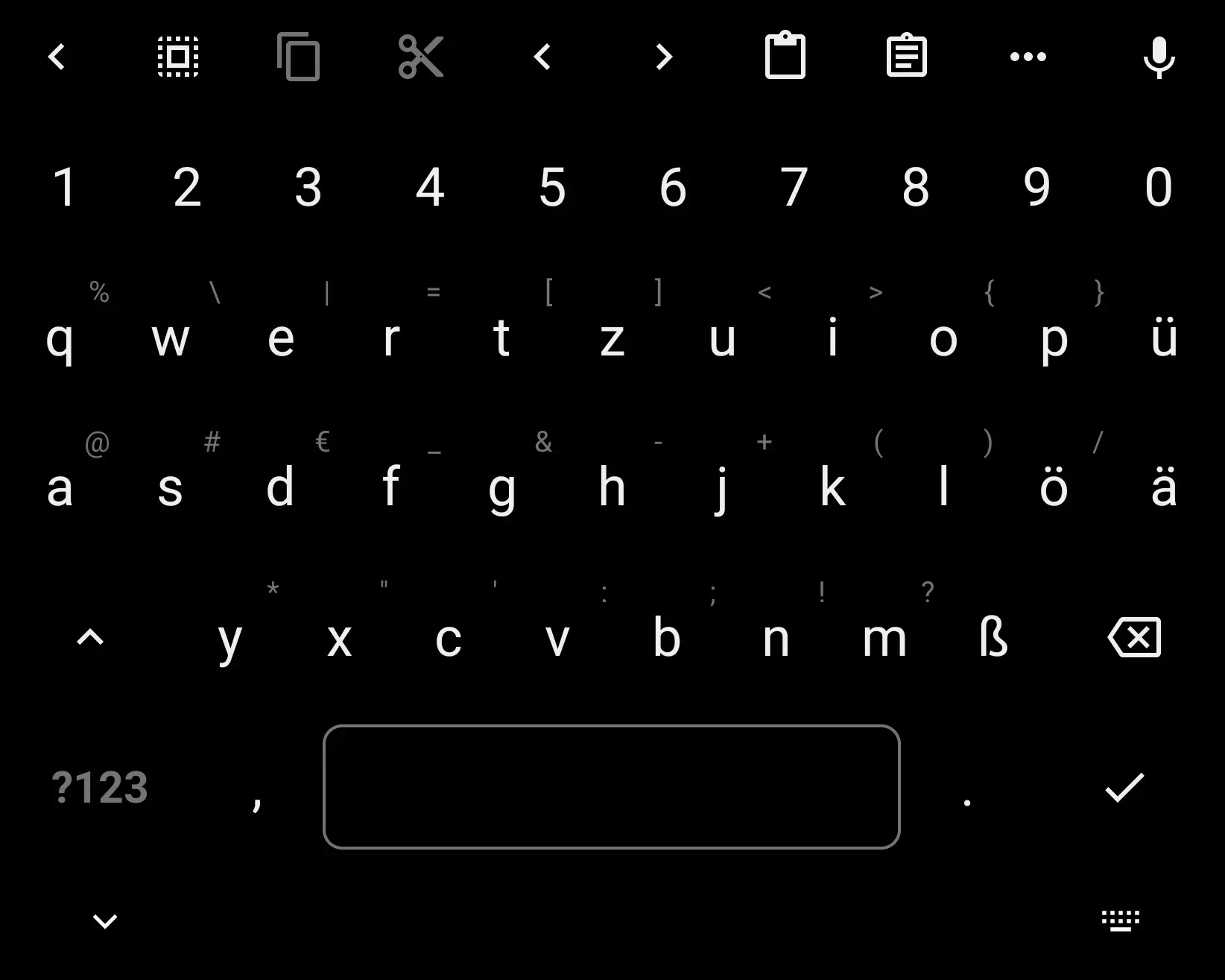
It was on the florisboard theme page but the dev took it down because I made it in florisbord not in a repo
I, for one, prefer Unexpected Keyboard because it has alt, ctrl, fn, and easy access to all the symbols i need for English and Portuguese. Sadly, it lacks some emoji, but i never used them much beforehand; just feel like i'm missing out lol.
the basic idea is that you tap a key, and drag towards an optional character you want to use, to enter it. here's a preview:
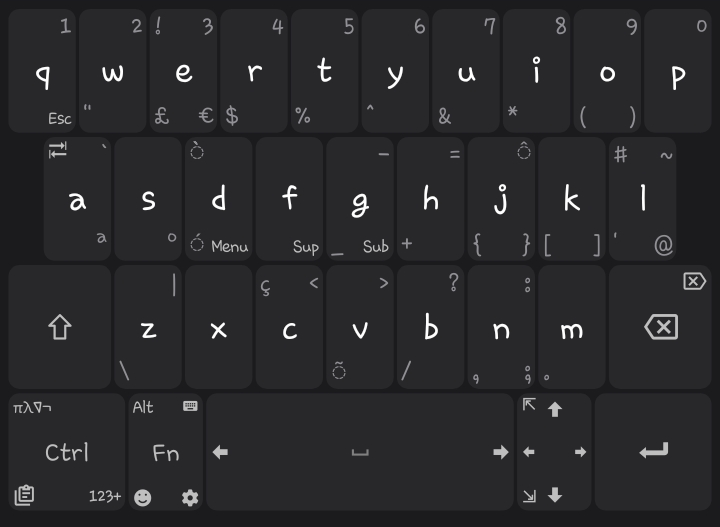
This is my preferred keyboard as well. Always thought autocomplete were more of an annoyance than a help. And nice to have all keys available when using remote desktop or ssh, where autocomplete is especially annoying.
I really like the ethos of Florisboard, but their spell check is just not in a state that makes it usable for me.
I use Swipe typing a lot! Does Florisboard have it yet?
Word suggestions/spell checking are not included in the current releases and are a major goal for the v0.6 milestone.
I've been watching Florisboard since before that text read "v0.5". It's a good keyboard but can't be a daily driver for me without that.
MUCH prefer AnySoftKeyboard as it has niceties like easy switching of language on the fly, arrow keys and other stuff like that, i just wish the autocomplete was not worse than not having any as it actually wastes your time showing you whatever incorrect and extremely unlikely suggestions it wants instead of something that actually follows what you're writing
I want a keyboard that can do both, English/German typing, and Japanese IME. So far all FOSS keyboards I've tried can do only one of the two well, and I don't want to switch between different keyboards for those two things.
I'm open for recommendations if you have any tho! I
I also use FlorisBoard, it's the best one I've tried. I don't use spell checking or suggestions so lack of that didn't bother me, the general functionality and design was just better than other options.
Development has recently started on it again, so these missing features will probably be implemented soon, which will probably help it's adoption!
I just got attached to Typewise (despite not being Open Source sadly). It is one of few apps, where I bought an expensive lifetime option.
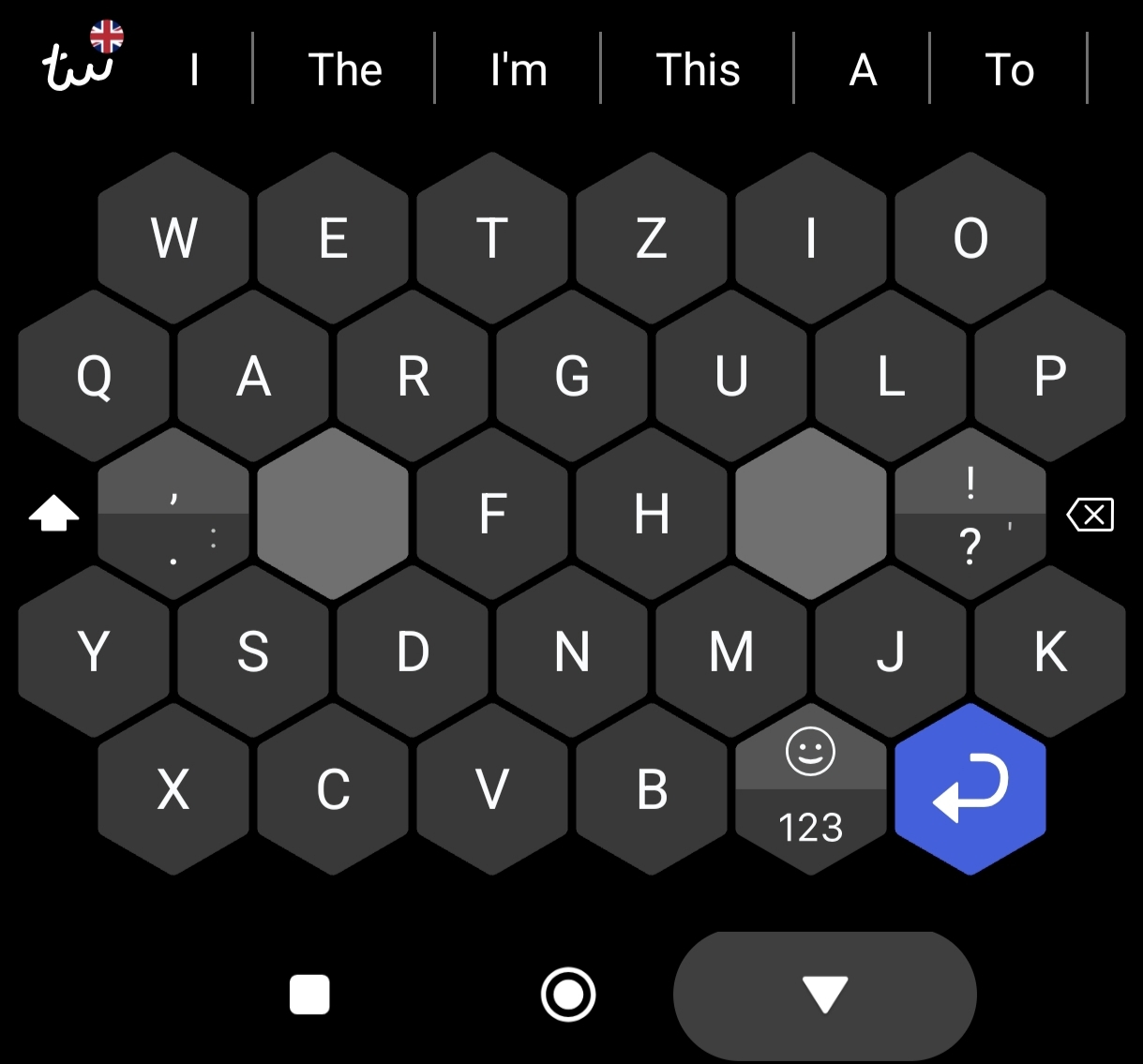
What is this layout?
Once you get used to it, it is pretty ideal for typing with both thumbs. The core principle is that the buttons are bigger and less used buttons are placed further outward from the center and at the bottom.
(In this example I've highlighed all letters from the bottom 2 rows which are slower to type due to thumb movement. Keep in mind that I am using a german layout for english text, the other layouts place some letters differently.)
It is also great because it causes visible confusion to people seeing my screen or even worse wanting to type something on it.
But most importantly: it works for me. Back when I switched to Typewise open source keyboards did not have swiping (or it wasnt great). And the default keyboard layout is not great for typing with my fat thumbs. Typewise worked so well for me that I do not miss swiping at all. Of course it is a matter of preference.
Most common letter E is too far right to be useful as single hand Typer (LH)
How big is your screen?
Maybe they have small hands AND a large screen to compensate. Don't shame.
load more comments
(2 replies)
view more: next ›